AI for law firms that summarizes documents and builds case timelines
EvidenceDesk AI, included on the Litigation Pro plan, creates summaries of documents and evidence and drafts case timelines from the files already on a matter, so attorneys can review large records faster. Every output is a draft for attorney review, not legal advice.

- Legal AI software
- Legal AI software uses artificial intelligence to help lawyers with tasks such as summarizing documents, organizing facts and finding information in large records, with the lawyer reviewing and remaining responsible for the work.
Where AI helps law firms today
Much of legal work is reading. A personal injury file can contain hundreds of pages of medical records; a commercial dispute can involve thousands of emails. Before an attorney can form a strategy, someone has to read the record, pull out the key facts and put them in order. That first pass is slow, and it is where AI can help most.
Used well, AI does not replace legal judgment. It gives the attorney a faster starting point: a summary to check against the source, a draft timeline to correct and complete. The attorney still decides what matters and remains responsible for the result.
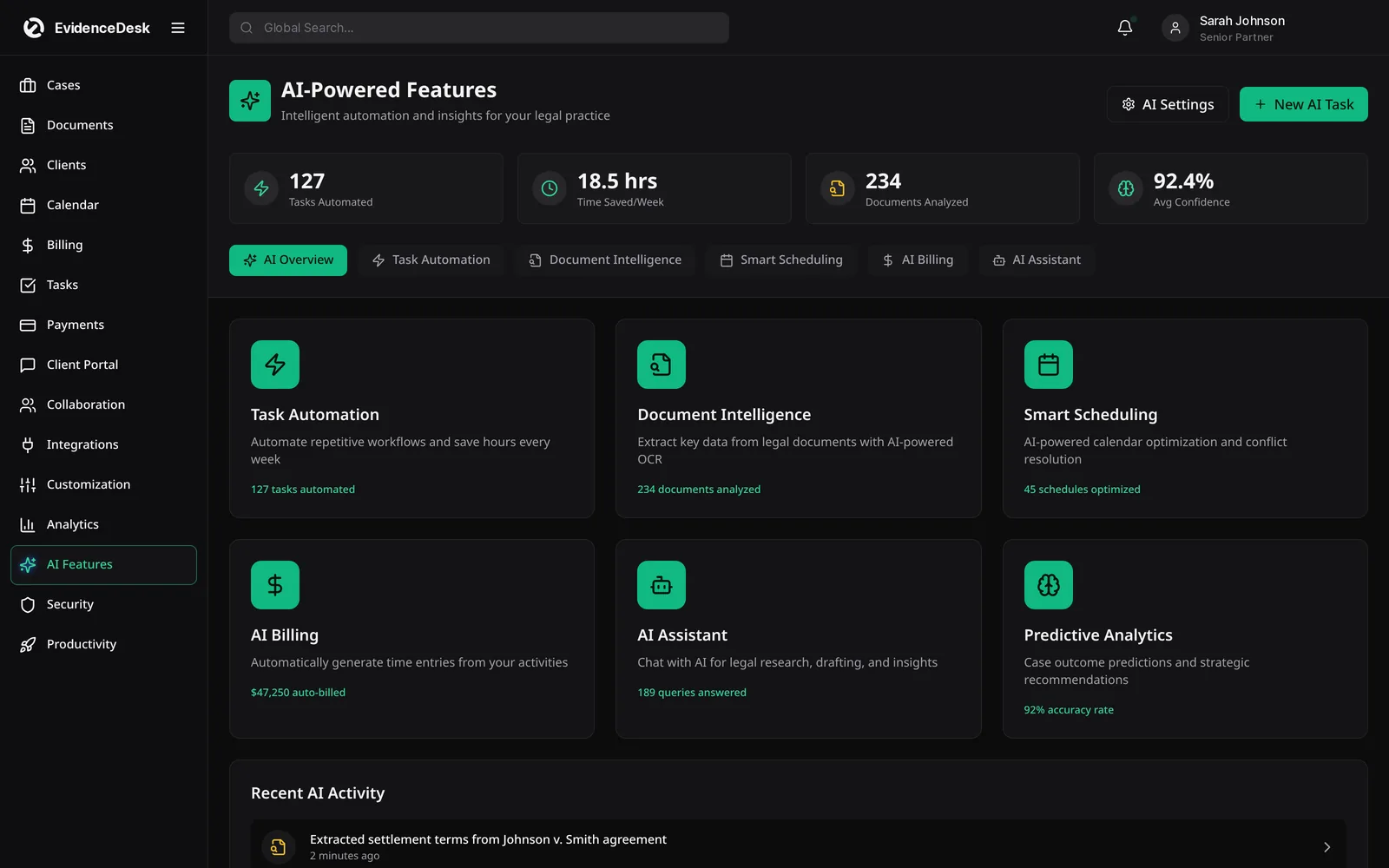
What EvidenceDesk AI does
Document summaries
Get a short summary of a long document so you can decide quickly whether it needs a full read.
Evidence summaries
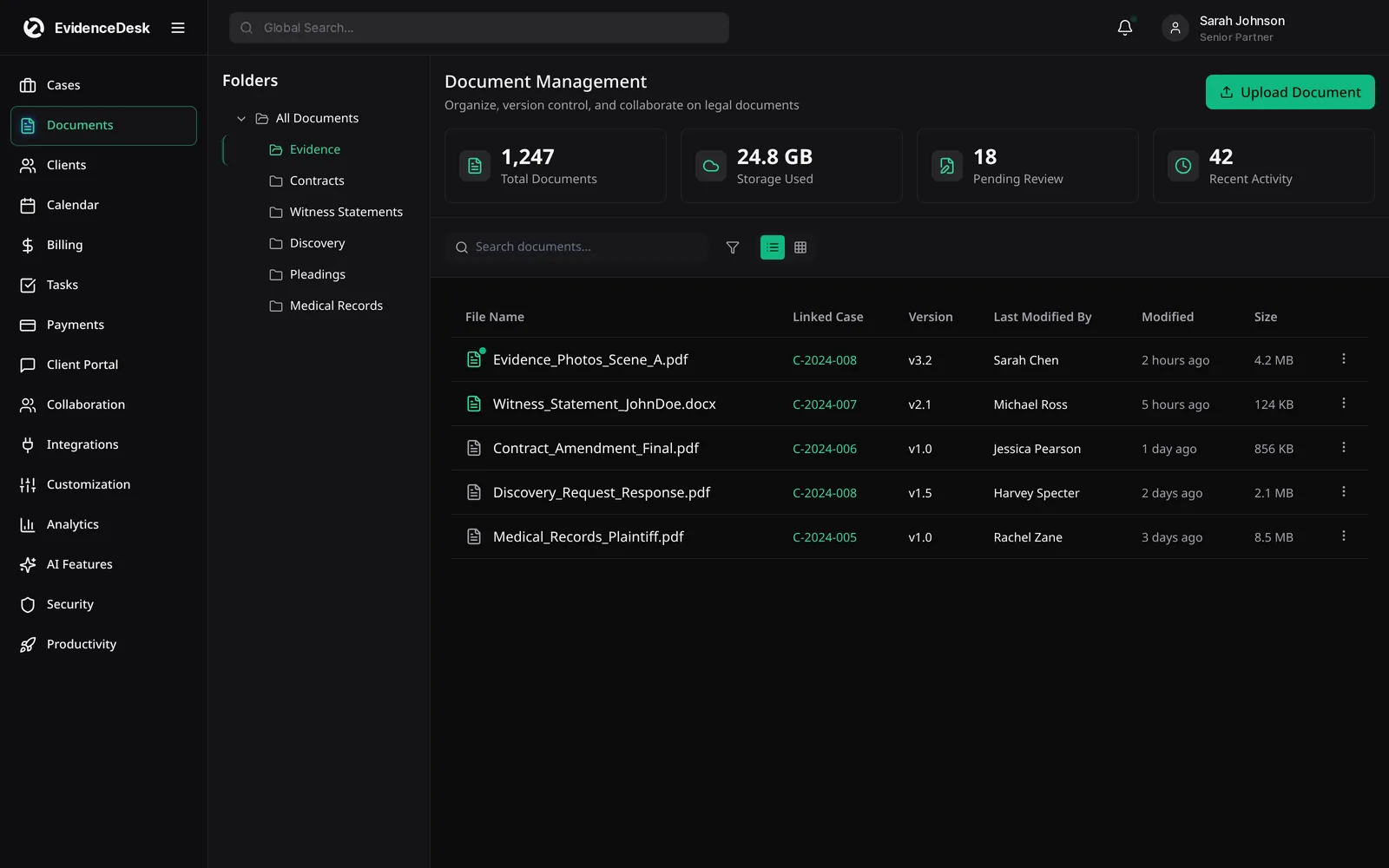
Summarize exhibits and records stored in the matter's evidence vault.
Case timelines
Draft a chronological timeline of events from the documents on a matter.
Linked to sources
Summaries and timelines point back to the documents they came from, so every fact can be checked.
Inside the matter
AI works on files already stored securely in EvidenceDesk, without copying them to a separate tool.
Attorney review
Outputs are drafts that the legal team reviews, edits and approves.
How AI features work
Store documents and evidence
On the matter as usual, with full-text and OCR search on Firm and Litigation Pro.
Choose what to analyze,
Such as a single document, a set of exhibits or the whole matter.
Generate a summary or timeline
And review it alongside the source documents.
Edit and save
The reviewed version to the matter for the team to use.
Using legal AI responsibly
Lawyers using AI should understand its limits. AI can misread a document, miss context or state something with more confidence than the source supports. Treat every output as a first draft, check it against the original documents, and never file or send AI-generated content without review. Follow your jurisdiction's guidance on technology competence, supervision and client confidentiality, and tell clients how you use AI where your rules require it. This page is general information, not legal advice.
AI and confidentiality
Client confidentiality is the first question firms ask about AI. EvidenceDesk AI works on documents already stored in the firm's account, within the same access controls as the rest of the matter, so the team does not need to upload confidential files to a separate consumer tool. Read more about our approach to security.
Who benefits most
AI features are most useful for document-heavy work: personal injury, litigation, insurance defense and investigations, where the volume of records slows everything down. They are included on the Litigation Pro plan, alongside court-rules deadlines, advanced reporting and audit logs, for firms that handle complex matters.
Getting value from AI quickly
Start with one document-heavy matter and compare the time it takes to review the record with and without summaries.
Frequently asked questions
What is AI for law firms?
AI for law firms is software that helps lawyers with tasks such as summarizing documents, organizing facts and building timelines, with the lawyer reviewing every result.
Which plan includes AI features?
AI document and evidence summaries and timelines are included on the Litigation Pro plan. See pricing.
Does AI replace attorney review?
No. Every AI output is a draft for the legal team to check against the source documents before it is relied on.
Are my documents sent to a separate AI tool?
AI features work on documents already stored in your EvidenceDesk account, within the same access controls as the matter.
What kind of matters benefit most from AI?
Document-heavy matters such as personal injury and litigation, where summaries and timelines save the most reading time.
Explore related pages
Evidence & Document Management
Secure legal document management software for law firms. Organize evidence and exhibits by matter, tag and search files, track versions and keep an audit trail.
Read moreLitigation Management
A litigation management system for law firms: track cases, pleadings, discovery, exhibits, depositions and court deadlines in one secure, cloud-based workspace.
Read moreCase Management
EvidenceDesk is legal case management software that keeps matters, tasks, deadlines, notes and team collaboration in one secure, cloud-based workspace.
Read moreSecurity
How EvidenceDesk approaches law firm data security: role and matter permissions, encryption, audit trails and secure client sharing.
Read morePersonal Injury
Personal injury case management software to track medical records, providers, liens, damages, demands and settlements, with trust support.
Read moreFilevine Alternative
Comparing Filevine? See how EvidenceDesk compares as a Filevine alternative for case management, evidence, litigation and personal injury workflows.
Read moreSee how EvidenceDesk brings cases, evidence, billing, clients and calendar together. Your Evidence. Organized. Airtight.
Cloud-based · Works in any browser · Plans from $39/user/mo