Law firm CRM, client intake and legal calendaring that stay in sync
EvidenceDesk tracks every lead from first contact to signed client, gives clients a secure portal for messages and files, and keeps court dates, deadlines and appointments on a shared legal calendar linked to each matter.

- Legal calendaring
- Legal calendaring is the process of recording and tracking court dates, filing deadlines, statutes of limitation and appointments so that no date tied to a matter is missed.
What you can do with EvidenceDesk clients & calendar
Client intake forms
Collect new-client details online and convert them into contacts and matters.
Law firm CRM
Track leads, referral sources and follow-ups in a simple pipeline.
Client portal
Secure messaging, file sharing and invoice viewing for clients.
Shared legal calendar
Firm-wide and personal calendars with matter-linked events.
Deadline reminders
Automated reminders before hearings, filings and appointments.
Appointment scheduling
Let prospects book consultations at available times.
Legal CRM: from first inquiry to signed client
A legal CRM tracks prospective clients before they become matters. Inquiries arrive by phone, web form, referral and email, and without a pipeline some are never followed up. EvidenceDesk records each lead with its source and status, schedules follow-ups and moves the lead through stages such as new inquiry, consultation booked, conflict check and engaged.
When a prospect signs, the intake details convert into a contact and a matter, so nothing is typed twice. Referral sources stay attached, which helps the firm see where its work comes from.
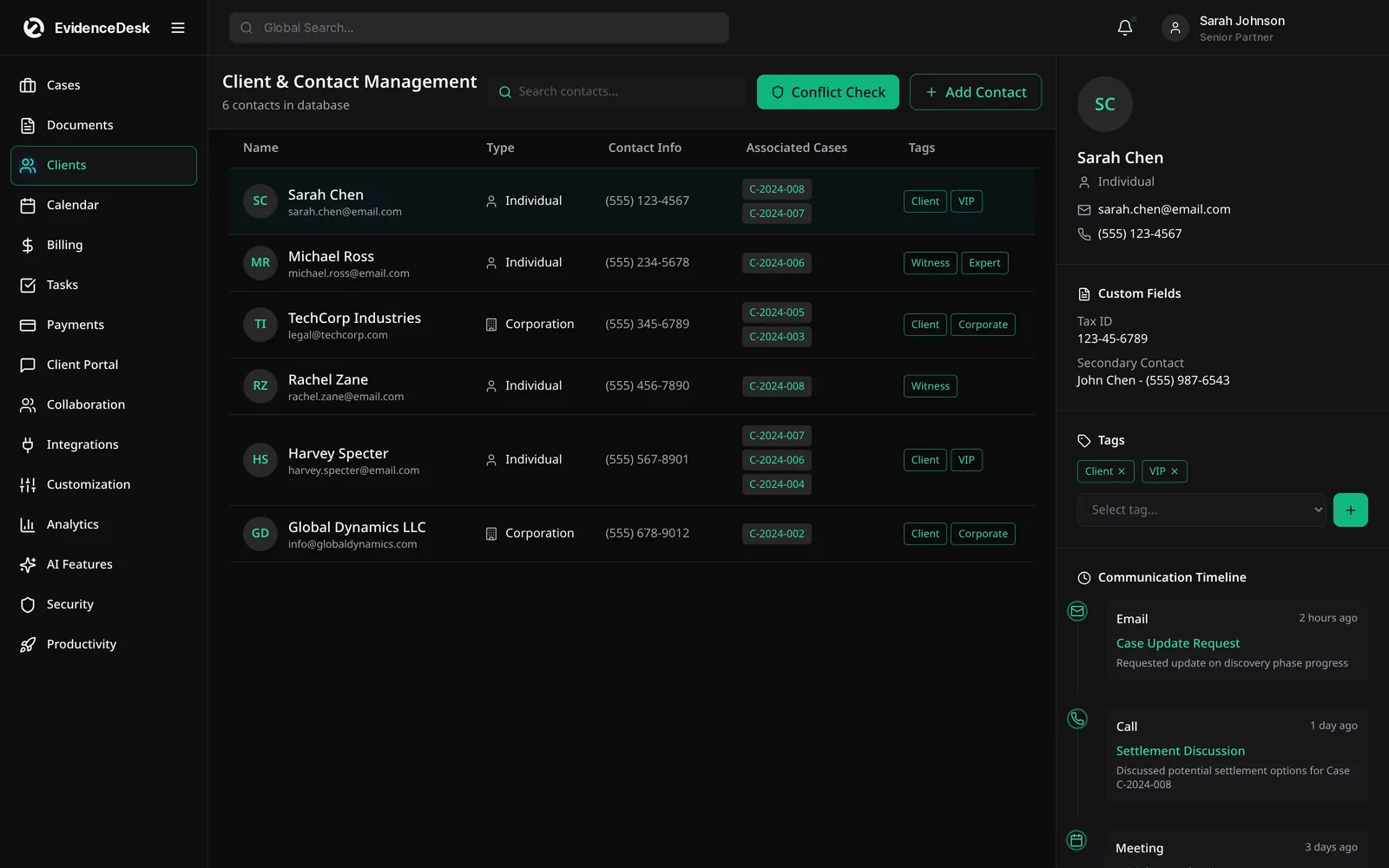
Client intake software for law firms
Online intake forms collect the details the firm needs for each practice area: contact information, opposing parties for conflict checks, key dates and a description of the issue. Structured intake makes conflict checks more reliable and gives the attorney a consistent summary before the first consultation.
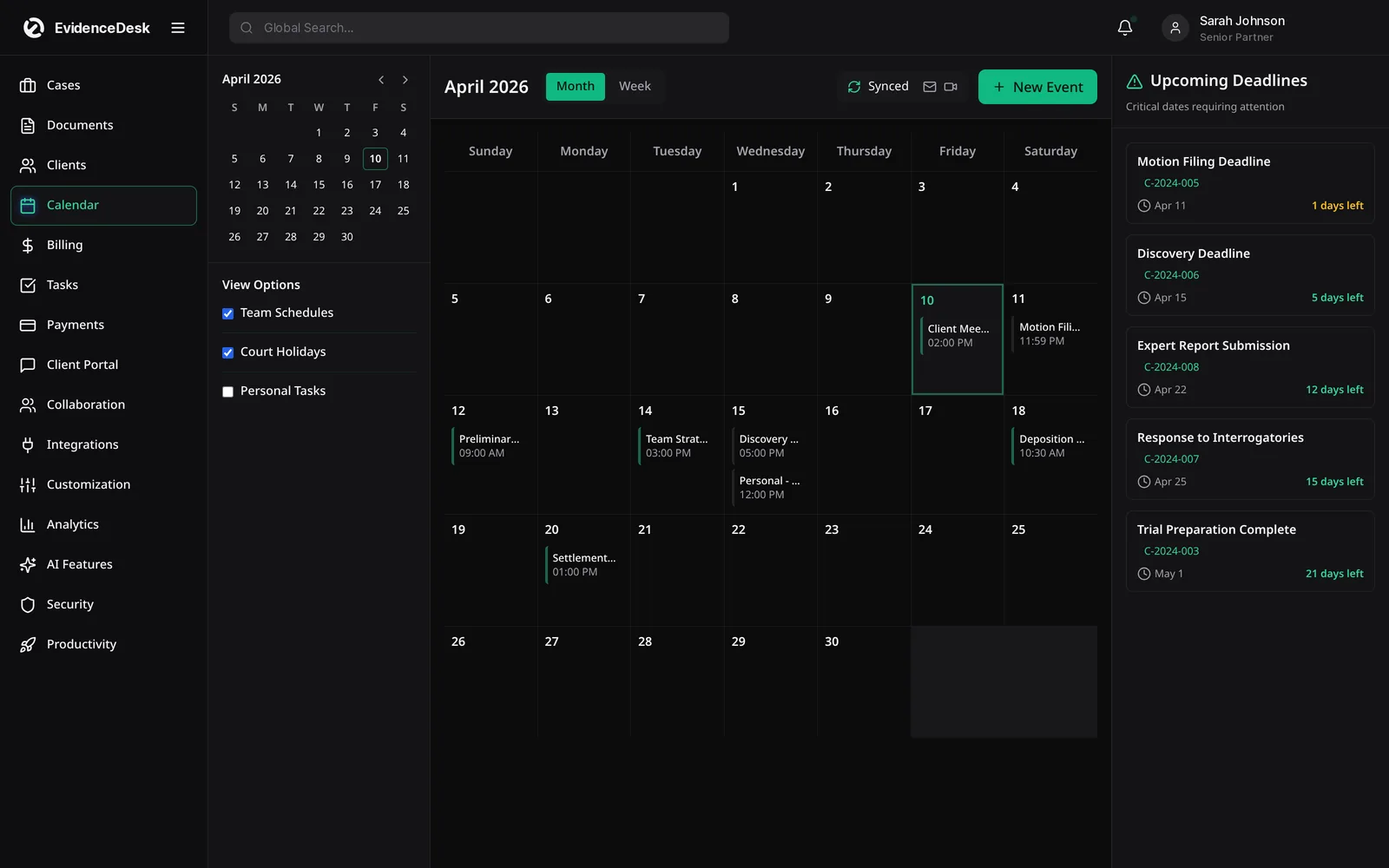
Law firm client portal
The client portal gives each client a secure place to send documents, read messages and view invoices. That reduces sensitive email attachments and repeated status calls. Firms choose exactly which documents and updates each client can see.
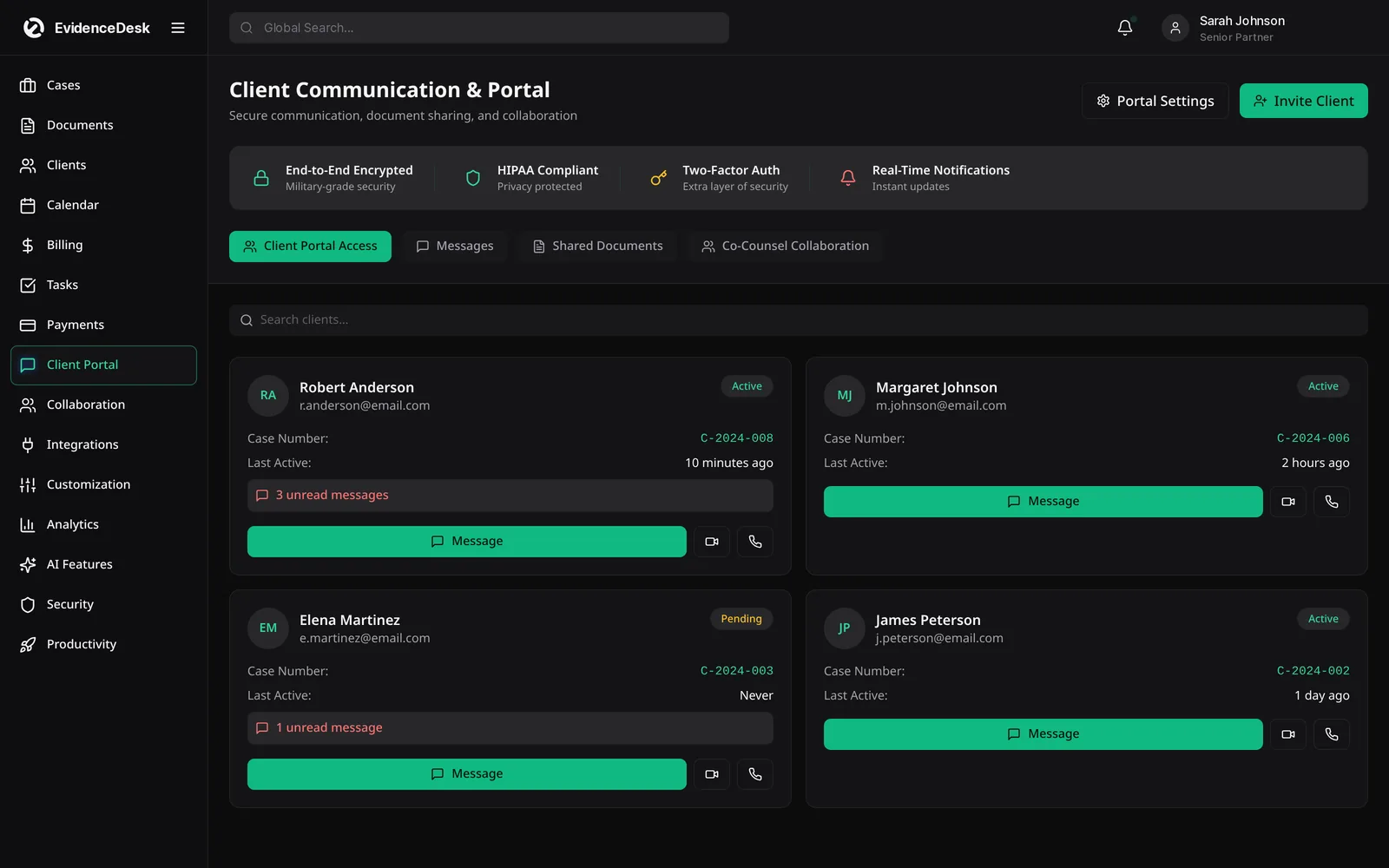
Legal calendaring software
Legal calendaring is about more than appointments. Court dates, filing deadlines and limitation periods must be recorded against the right matter and seen by everyone responsible. EvidenceDesk provides firm-wide and personal calendars, matter-linked events and automatic reminders before hearings and deadlines. For quick date arithmetic, try the free court deadline calculator, and always confirm deadlines against the applicable rules.
Best CRM for law firms: what to compare
Lead capture from web forms and manual entry.
Pipeline stages and follow-up reminders.
Conflict checking at intake.
Conversion of a lead into a matter without re-entry.
A client portal and consultation scheduling.
A calendar that is linked to matters, not separate from them.
From first call to signed client
The intake process decides whether a prospective client becomes a matter. Every inquiry should be recorded the same way: who called, what they need, how they heard about the firm and what happens next. With intake records in EvidenceDesk, the firm can run a conflict check on Firm and Litigation Pro, send an engagement letter for e-signature and open the matter without retyping anything.
On the Litigation Pro plan, intake forms and CRM capture inquiries straight from your website and track each lead through stages until it is signed or declined. That makes it easy to see where new business comes from and how quickly the firm responds, two of the biggest drivers of conversion for consumer practices.
Keeping client relationships organized
After the matter opens, the contact record stays useful. It holds every matter for that client, related parties, communication history and upcoming events, so anyone in the firm can answer a client call with full context.
Frequently asked questions
What is a law firm CRM?
A law firm CRM (client relationship management) tool tracks prospective and current clients, intake status, referral sources and follow-ups so fewer leads fall through the cracks.
What is legal calendaring software?
Legal calendaring software records court dates, deadlines and appointments against each matter and sends reminders so attorneys and staff do not miss critical dates.
What is a legal CRM?
A legal CRM is client relationship management software designed for law firms. It tracks prospective clients, intake status, referral sources and follow-ups, and often connects to the firm's case management system.
What is a law firm client portal?
A law firm client portal is a secure online area where clients exchange documents and messages with the firm and view invoices, instead of using email.
Does the EvidenceDesk calendar sync with Google or Outlook?
Yes. The firm calendar syncs with Google Calendar and Outlook so hearings, filings and consults appear where each person already works.
Explore related pages
Case Management
EvidenceDesk is legal case management software that keeps matters, tasks, deadlines, notes and team collaboration in one secure, cloud-based workspace.
Read moreCourt Deadline Calculator
Free legal date calculator: count calendar or business days from a trigger date to estimate a court deadline, with weekend roll. Not legal advice.
Read moreImmigration
Immigration case management software: track petitions, collect client documents securely, calendar filing deadlines and manage flat fees.
Read moreFamily Law
Family law software for divorce, custody and support matters: secure financial disclosures, custody schedules, deadlines and billing.
Read moreHow to Start a Law Firm
How to start a law firm: business plan, entity, bar requirements, trust account, insurance, technology, pricing and marketing, step by step.
Read moreMyCase Alternative
Looking for a MyCase alternative? Compare EvidenceDesk with MyCase on case management, evidence and documents, billing, trust accounting and client portal.
Read moreIntegrations
EvidenceDesk integrations: QuickBooks and Xero sync, Google and Outlook calendar sync, e-signature, online payments and an API on Litigation Pro.
Read moreSee how EvidenceDesk brings cases, evidence, billing, clients and calendar together. Your Evidence. Organized. Airtight.
Cloud-based · Works in any browser · Plans from $39/user/mo