Law firm payment processing that gets invoices paid faster
EvidenceDesk lets clients pay legal invoices online by card or bank transfer from an emailed link or the client portal, supports payment plans for larger balances, and records each payment against the right invoice and matter.

- Law firm payment processing
- Law firm payment processing is how a firm accepts client payments electronically, such as card or bank transfer, while recording each payment against the correct invoice and keeping trust funds separate from operating funds.
Why online payments matter for law firms
Every day an invoice sits unpaid is a day of work the firm has financed for its client. Paper checks and manual bank transfers add friction: the client has to find a checkbook or log in to their bank, and the firm has to match each payment to an invoice by hand. Online payments remove most of that friction. When the invoice arrives with a secure "pay now" link, many clients pay the same day.
Legal payments have extra rules. Advance retainers and settlement funds may belong in a trust account, not operating, and fees should be taken from trust only when earned. A payment system built for law firms keeps those funds apart and records every transaction against the matter.
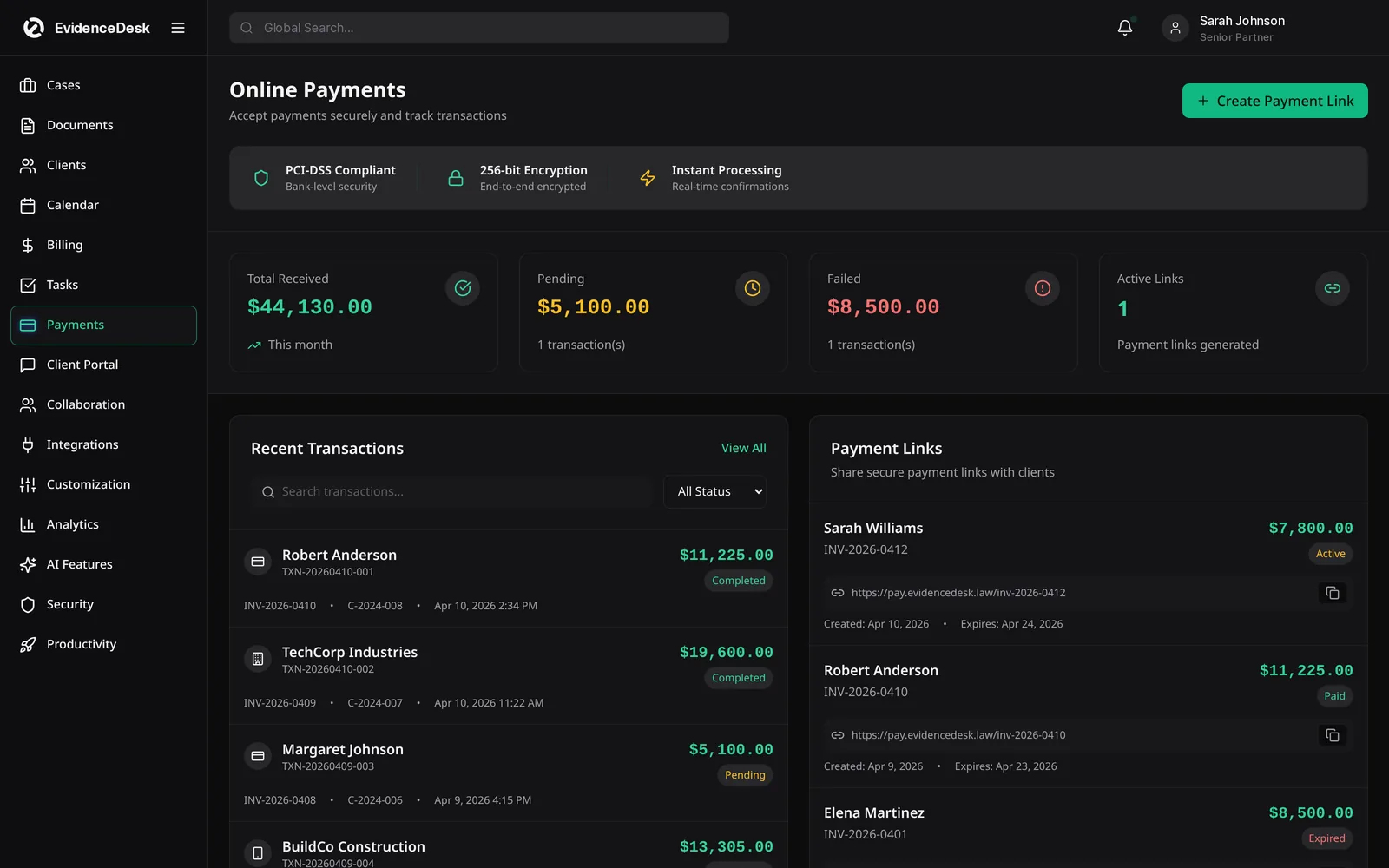
What you can do with EvidenceDesk payments
Accept card and bank payments
Clients pay invoices online from an email link or the client portal.
Offer payment plans
Split a larger balance into scheduled installments so clients can afford the work.
Route funds correctly
Record retainers to trust and earned fees to operating, with each payment tied to a matter.
Match payments automatically
Payments post to the invoice and matter, so there is no manual reconciliation of who paid what.
Track what is outstanding
See unpaid and overdue invoices at a glance and follow up before balances age.
Give clients receipts
Every payment generates a record the client and the firm can refer to later.
How online payments work
Send the invoice
From EvidenceDesk by email or publish it to the client portal.
The client pays online
By card or bank transfer using the secure link.
The payment posts
To the invoice and matter, and the invoice status updates to paid or partially paid.
Reports update
So the firm can see collected revenue and remaining balances.
Attorney payment plans
Many clients cannot pay a large legal bill in one go, and a common search is whether lawyers take payment plans. Many do. A payment plan sets an agreed schedule of smaller installments, which makes legal help more accessible and gives the firm predictable cash flow. In EvidenceDesk you set the installment amounts and dates, the client sees the schedule, and each installment is tracked against the balance. Payment plans are included on the Firm and Litigation Pro plans.
Before offering a plan, agree the terms in writing, including what happens if an installment is missed, and follow your jurisdiction's rules on fee agreements.
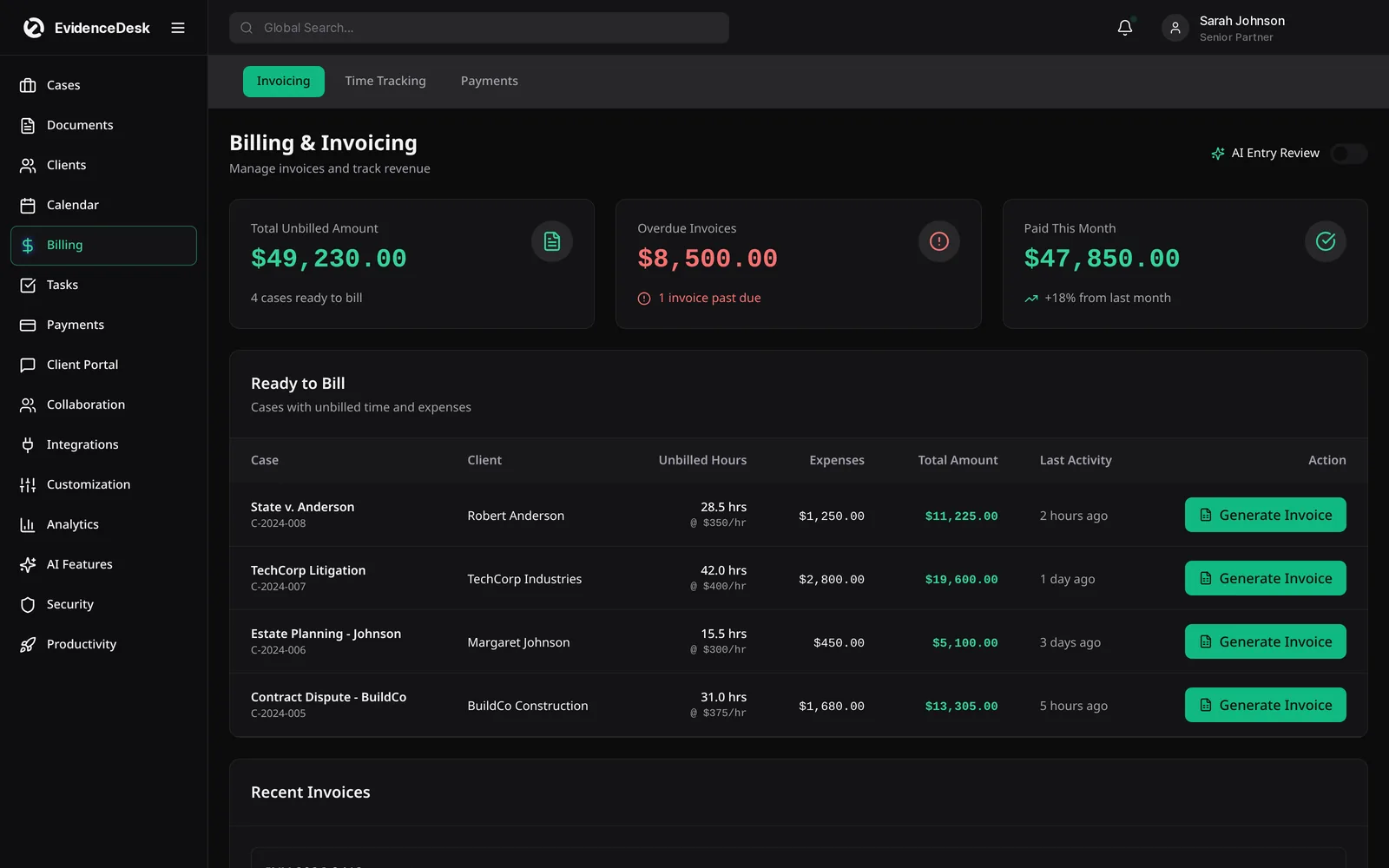
Keeping payments compliant
Online payments must respect the separation between trust and operating money. Record retainers and other client funds to trust, apply them to invoices only for earned fees, and keep processing fees out of the trust account where your rules require it. EvidenceDesk's trust accounting keeps a per-client ledger so the firm can see exactly what is held for each client. This page is general information, not legal or accounting advice; confirm the rules of your state bar.
Frequently asked questions
How do law firms accept online payments?
Law firms usually send invoices with a secure payment link so clients can pay by card or bank transfer. The payment is recorded against the invoice and matter automatically.
Do lawyers offer payment plans?
Many do. A payment plan splits a balance into scheduled installments. EvidenceDesk supports payment plans on the Firm and Litigation Pro plans.
Are online payments included on every plan?
Yes. Online payments are included on every plan. See pricing.
Can retainers go to the trust account?
Yes. Retainers can be recorded to trust and applied to invoices later, once fees are earned. See trust accounting.
How do I know which invoices are unpaid?
Billing reports show unpaid and overdue invoices for each client and matter, so you can follow up before balances age.
Explore related pages
Billing & Time Tracking
Legal billing software with built-in attorney time tracking, invoicing, expenses and trust (IOLTA) accounting support, connected directly to each matter.
Read moreTrust Accounting
Legal trust accounting software that keeps client trust and IOLTA funds separate, maintains per-client ledgers and supports three-way reconciliation.
Read moreClient Portal
A secure law firm client portal for sharing documents, messages, invoices and case updates with clients, included on every EvidenceDesk plan.
Read moreHow Do Lawyers Get Paid?
How do lawyers get paid? A clear guide to hourly billing, flat fees, contingency fees, retainers and trust, and how law firms invoice and collect payments.
Read moreLegal Invoice Template
Free legal invoice template generator for attorneys. Add time entries and rates, apply trust funds and print or save a law firm invoice as PDF in your browser.
Read moreSmall Law Firms
Case management and billing software for small law firms: shared matters and calendar, permissions, time tracking and trust accounting.
Read moreSee how EvidenceDesk brings cases, evidence, billing, clients and calendar together. Your Evidence. Organized. Airtight.
Cloud-based · Works in any browser · Plans from $39/user/mo