Law firm collaboration software for secure teamwork on every matter
EvidenceDesk collaboration gives attorneys, paralegals and staff one shared workspace per matter, with notes, tasks, documents and an activity history, plus roles and permissions that control who can see and change each matter.

- Law firm collaboration platform
- A law firm collaboration platform is software where a legal team works together on matters, sharing documents, notes and tasks in one place with access controls that protect client confidentiality.
Why collaboration is hard in law firms
Legal work is a team effort. An attorney drafts, a paralegal gathers records, an assistant schedules, and a partner reviews. When each person keeps their own notes and files, the team spends time asking where things are and whether the latest version has been sent. Confidentiality adds another layer: not everyone in the firm should see every matter.
Collaboration software solves both problems at once. It gives the team one shared place per matter, and it controls who can access it. The result is fewer internal emails, faster handoffs and a clear record of who did what.
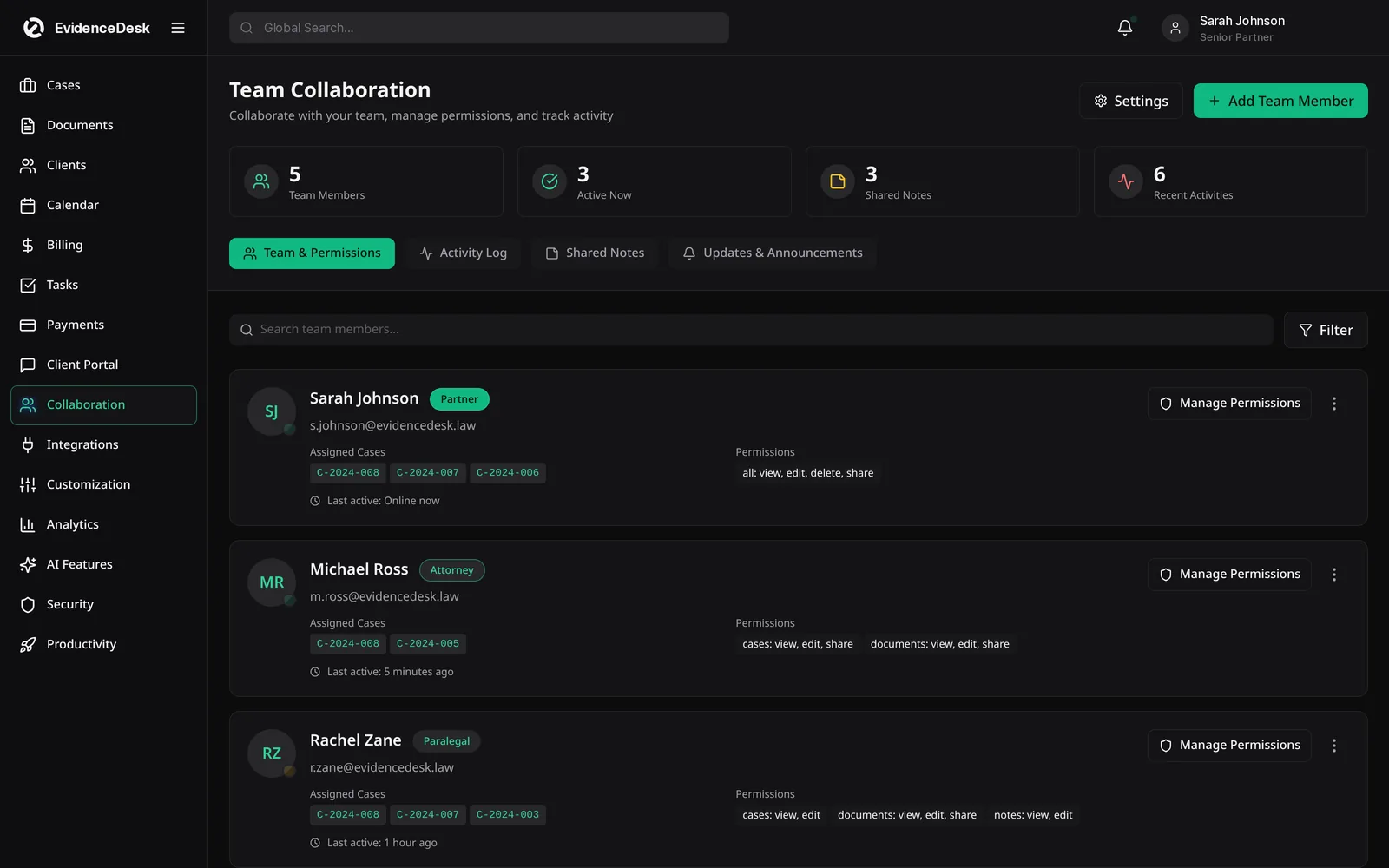
What collaboration looks like in EvidenceDesk
One workspace per matter
Notes, documents, tasks and events live together on the case.
Shared notes
Capture calls, strategy and decisions where the whole team can find them.
Team roles
See who is working on each matter and what their role is.
Activity history
A timeline shows updates, uploads and changes as they happen.
Permissions
Control which users can view or edit each matter, with custom roles on Firm and Litigation Pro.
Announcements
Share updates with the whole firm from one place.
How team collaboration works
Add the team to the matter
And set each person's role.
Work in one place
Notes, documents and tasks are added to the matter rather than to personal folders or inboxes.
Follow the activity feed
To see what changed since you last looked.
Hand off with context
When work moves to someone else, the history and open tasks go with it.
Protect sensitive matters
With permissions, and on Litigation Pro with ethical walls that block conflicted users entirely.
Secure collaboration for confidential work
Law firms have a duty to protect client information, so collaboration has to be secure by design. EvidenceDesk keeps matter data inside the firm's account rather than in shared drives and personal email. Access is limited by role and matter, document access is logged, and on the Litigation Pro plan ethical walls and SSO add further control for larger teams. Read more about how we approach security.
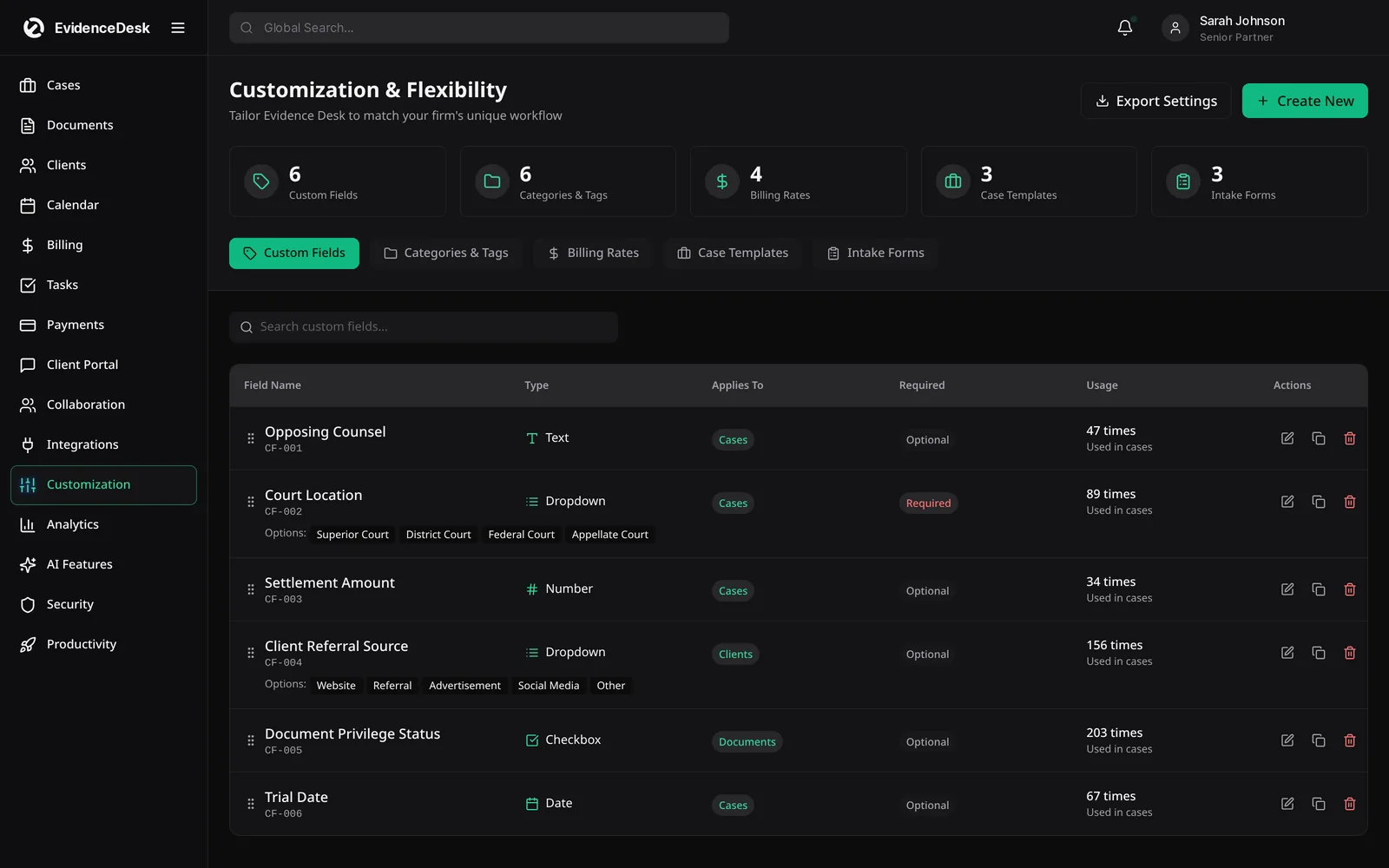
Collaboration with clients and co-counsel
Not every collaborator is inside the firm. Clients can be invited to the client portal to share documents and messages on their matter, without seeing internal notes. Keeping client collaboration in the portal and team collaboration on the matter means each audience sees only what it should.
Streamlining collaboration in a small firm
Even a three-person firm benefits from shared matter records. Agree a few simple rules: every call gets a note on the matter, every file is saved to the matter, and every follow-up becomes a task with an owner. With those habits and a shared system, nobody has to ask where something is.
Comments on documents and evidence
Collaborative notes let the team leave internal comments directly on a document or exhibit, so discussion about evidence stays with the file instead of in scattered email threads. Comments are internal and never shown in the client portal.
Collaboration features by plan
Shared matters, notes, tasks and activity history are included on every plan. Firm and Litigation Pro add custom fields and roles, and Litigation Pro adds ethical walls, SSO and audit logs.
Frequently asked questions
What is a law firm collaboration platform?
A law firm collaboration platform is software where a legal team shares documents, notes and tasks on each matter, with permissions that protect client confidentiality.
Can I restrict who sees a matter?
Yes. Permissions control who can view or edit each matter. Custom roles are included on Firm and Litigation Pro, and ethical walls are included on Litigation Pro.
Can clients see internal notes?
No. Clients only see what you publish to the client portal. Internal notes stay inside the firm.
Is collaboration included on every plan?
Shared matters, notes and activity history are included on every plan. See pricing for role and permission options.
How does collaboration software reduce email?
Because notes, files and tasks are stored on the matter, the team can find information themselves instead of asking for it by email.
Explore related pages
Case Management
EvidenceDesk is legal case management software that keeps matters, tasks, deadlines, notes and team collaboration in one secure, cloud-based workspace.
Read moreWorkflows & Tasks
Legal workflow software with task lists, matter templates and automated reminders so every case follows the same checklist and nothing is missed.
Read moreClient Portal
A secure law firm client portal for sharing documents, messages, invoices and case updates with clients, included on every EvidenceDesk plan.
Read moreSecurity
How EvidenceDesk approaches law firm data security: role and matter permissions, encryption, audit trails and secure client sharing.
Read moreSmall Law Firms
Case management and billing software for small law firms: shared matters and calendar, permissions, time tracking and trust accounting.
Read moreEvidence & Document Management
Secure legal document management software for law firms. Organize evidence and exhibits by matter, tag and search files, track versions and keep an audit trail.
Read moreSee how EvidenceDesk brings cases, evidence, billing, clients and calendar together. Your Evidence. Organized. Airtight.
Cloud-based · Works in any browser · Plans from $39/user/mo