Legal workflow and task management software that keeps every matter on track
EvidenceDesk workflow and task management lets firms assign tasks on each matter, build reusable matter templates with standard checklists, and send automatic reminders so recurring legal work is done the same way every time.

- Legal workflow software
- Legal workflow software helps law firms standardize repeatable work, such as opening a matter or preparing a filing, by turning the steps into task lists with owners, due dates and reminders.
Why law firms need workflow software
Most legal work repeats. A new personal injury matter needs the same intake steps, records requests and letters every time. An estate plan follows the same drafting, review and signing sequence. When those steps live in someone's memory or a paper checklist, they get skipped when the office is busy, and a new team member has no way to know what "done" looks like.
Legal workflow software turns that knowledge into a written process. Each step becomes a task with an owner and a due date, attached to the matter it belongs to. The firm can see what is outstanding across every case, and nothing depends on one person remembering.
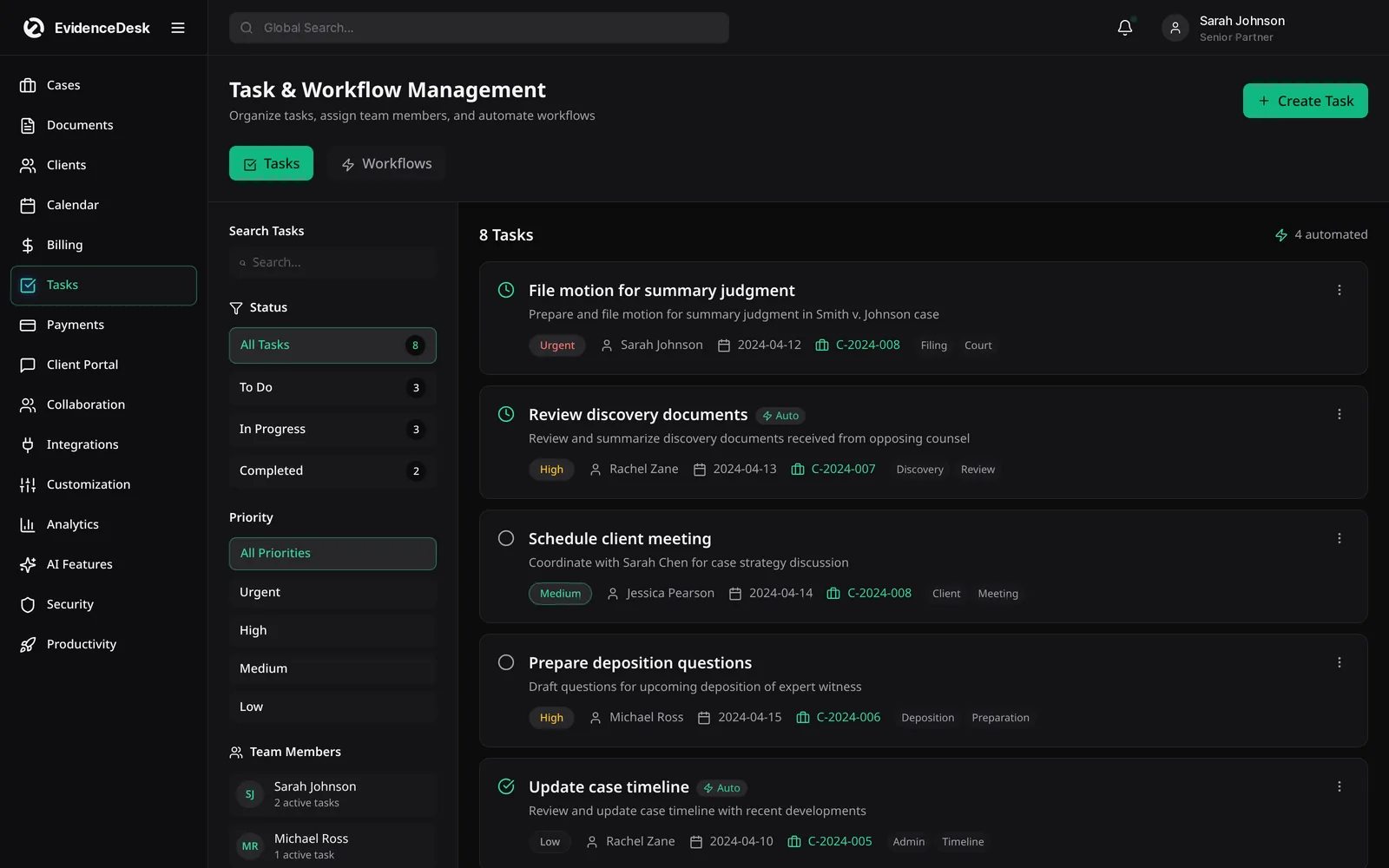
What you can do with EvidenceDesk tasks and workflows
Assign tasks on any matter
Give each task an owner, a due date and a priority, and see it on the matter and in the owner's list.
Build matter templates
Save the standard checklist for each practice area and apply it when a new matter opens.
Automate reminders
Due dates trigger reminders so tasks are not forgotten, and overdue work is easy to spot.
Track progress at a glance
Filter tasks by matter, person, status or due date to see what needs attention today.
Hand off cleanly
When someone is out, reassign their open tasks without losing context.
Keep a record
Completed tasks stay on the matter history, showing who did what and when.
How legal workflows work in EvidenceDesk
Map the process
For a matter type, such as intake, discovery or closing, as a list of steps.
Save it as a matter template
With default owners and relative due dates.
Apply the template
When you open a new matter; tasks are created and scheduled automatically.
Work the list
Team members complete tasks from their own view, and reminders cover anything approaching its due date.
Refine over time
Update the template when your process changes, and every new matter uses the improved version.
Task management for teams and solo attorneys
In a team, the main benefit is visibility. Partners can see which matters are waiting on which tasks, paralegals know exactly what to work on next, and handoffs are cleaner because the checklist travels with the matter. For a solo attorney, the benefit is consistency: a template means the twentieth matter of a type gets the same care as the first, even on the busiest week.
Tasks connect to the rest of EvidenceDesk. A task can link to a document, a calendar event or a time entry, so the work you do is also captured for billing. Deadlines on the legal calendar and tasks on the matter stay in sync, giving the whole team one source of truth.
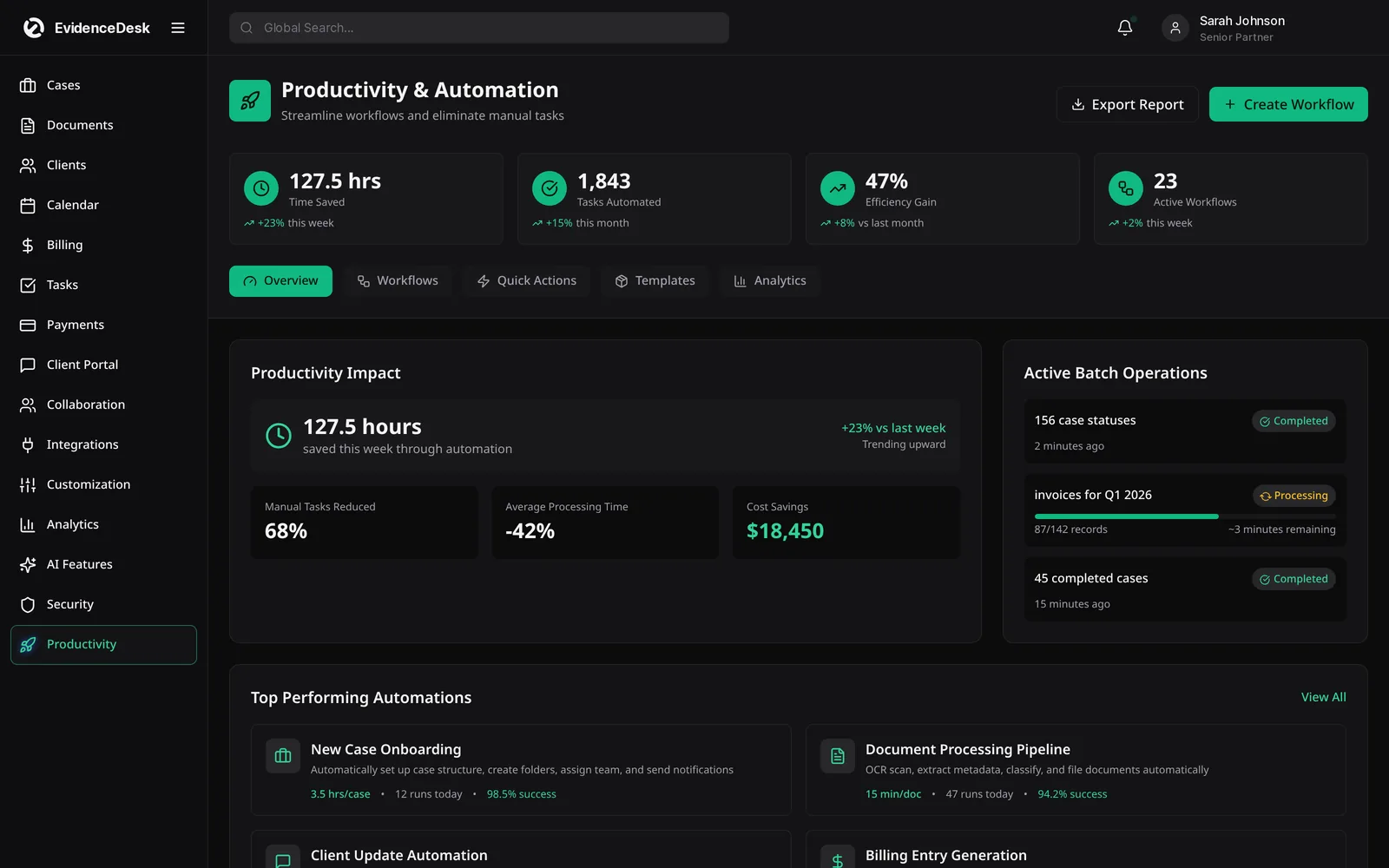
Getting started with legal workflow management
Start with the matter type you open most often. Write down every step from intake to closing, assign a typical owner, and estimate how many days after opening each step is due. That list becomes your first template. Basic tasks are included on every plan; workflows and matter templates are part of the Firm and Litigation Pro plans.
Frequently asked questions
What is legal workflow software?
Legal workflow software turns a firm's repeatable processes into task lists with owners, due dates and reminders, so every matter follows the same steps.
What is the difference between tasks and workflows?
A task is a single piece of work on a matter. A workflow, or matter template, is a saved set of tasks that is applied automatically when a new matter of that type is opened.
Which plans include workflows and matter templates?
Tasks are included on every plan. Workflows and matter templates are included on Firm and Litigation Pro. See pricing.
Can tasks remind people automatically?
Yes. Tasks with due dates send reminders, and overdue tasks are highlighted in each person's list.
Is legal task management useful for a solo attorney?
Yes. Templates and reminders help a solo attorney handle each matter consistently without relying on memory.
Explore related pages
Case Management
EvidenceDesk is legal case management software that keeps matters, tasks, deadlines, notes and team collaboration in one secure, cloud-based workspace.
Read moreCalendar & Deadlines
Legal calendaring software for hearings, filings and deadlines, with Google and Outlook sync, reminders and court-rules deadlines on Litigation Pro.
Read moreCollaboration
Law firm collaboration software for secure teamwork on matters: shared notes, roles and permissions, activity history and internal messaging.
Read moreSmall Law Firms
Case management and billing software for small law firms: shared matters and calendar, permissions, time tracking and trust accounting.
Read moreSolo Attorneys
Practice management and billing software for solo practitioners: simple case management, time tracking, invoicing, trust accounting and calendar.
Read moreHow to Manage a Small Law Firm
How to manage a small law firm: a practical guide to intake, cases, documents, deadlines, time, billing, trust accounting and firm metrics.
Read moreEstate Planning
Estate planning software for wills, trusts and probate: flat-fee workflows, document checklists, signing appointments and a client portal.
Read moreSee how EvidenceDesk brings cases, evidence, billing, clients and calendar together. Your Evidence. Organized. Airtight.
Cloud-based · Works in any browser · Plans from $39/user/mo