Legal document management and evidence management in one secure place
EvidenceDesk is legal document management software that stores every file, exhibit and piece of evidence inside its matter, with tagging, full-text search, version history and an access log so you always know who handled what and when.

- Legal document management
- Legal document management is the practice of storing, organizing, versioning and securing a firm’s documents by client and matter so files can be found quickly and handled in line with confidentiality obligations.
What you can do with EvidenceDesk evidence & document management
Matter-centric storage
Every document, email attachment and exhibit lives inside the case it belongs to.
Evidence log & chain of custody
Record source, date received and every access or change to each exhibit.
Tags, exhibits & bates labels
Label evidence by issue, witness or exhibit number for trial preparation.
Search
Find files by name, tag, matter or content.
Version history
Keep earlier drafts and see who changed what.
Secure client sharing
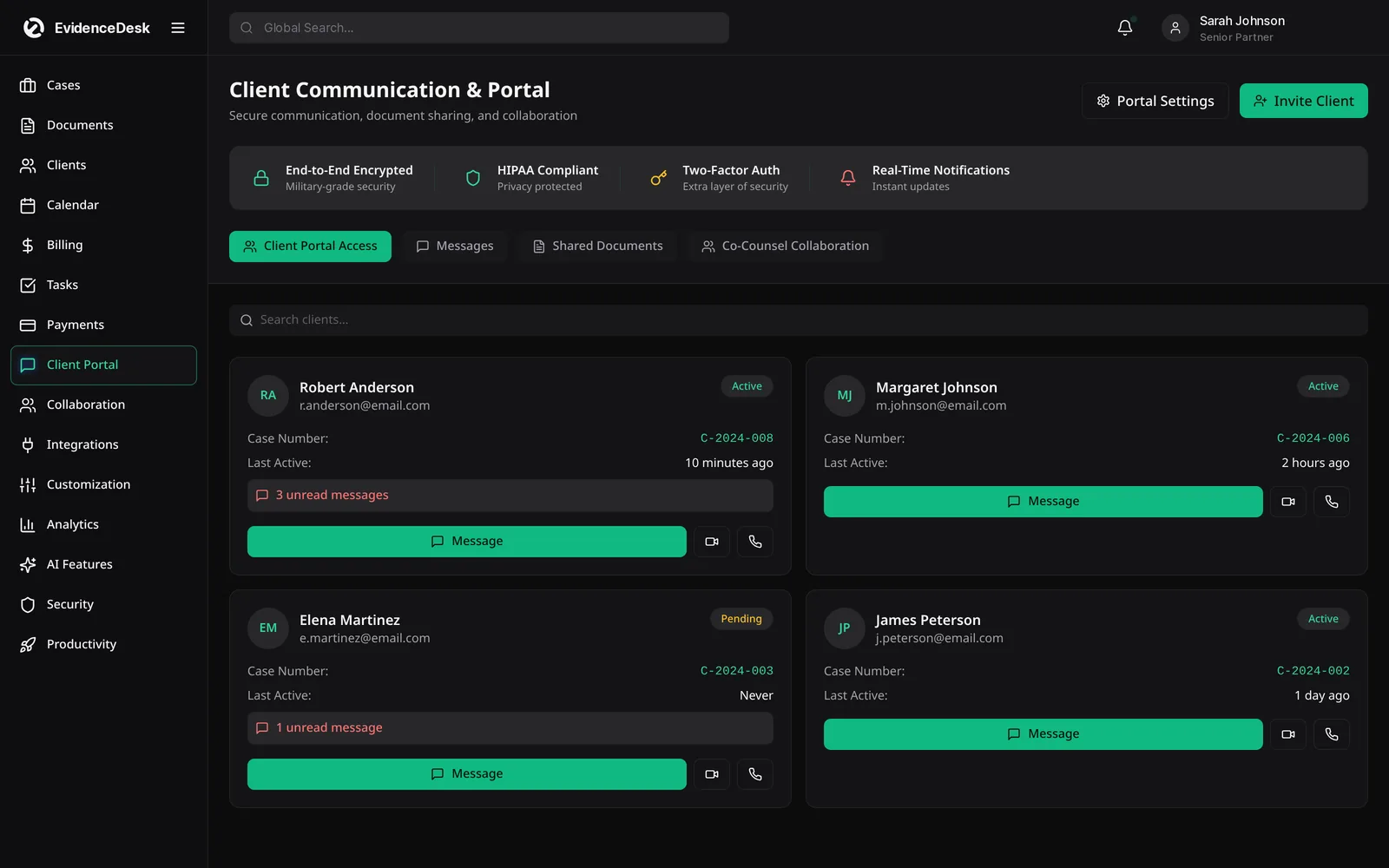
Share selected files through the client portal instead of email attachments.
Why evidence and document management belong in the matter
Law firms handle large volumes of documents: pleadings, contracts, correspondence, discovery productions, medical records, photos, audio and video. When these live in generic cloud folders, the firm loses context. Nobody can easily see which version was filed, where an exhibit came from or who opened it. A legal document management system ties every file to its client and matter and records what happened to it.
EvidenceDesk treats evidence as a first-class part of the matter. Each exhibit has a record showing its source, the date received, its tags and an access history. That history helps the firm explain how evidence was handled and makes trial preparation faster, because exhibits can be filtered by issue, witness or exhibit number.
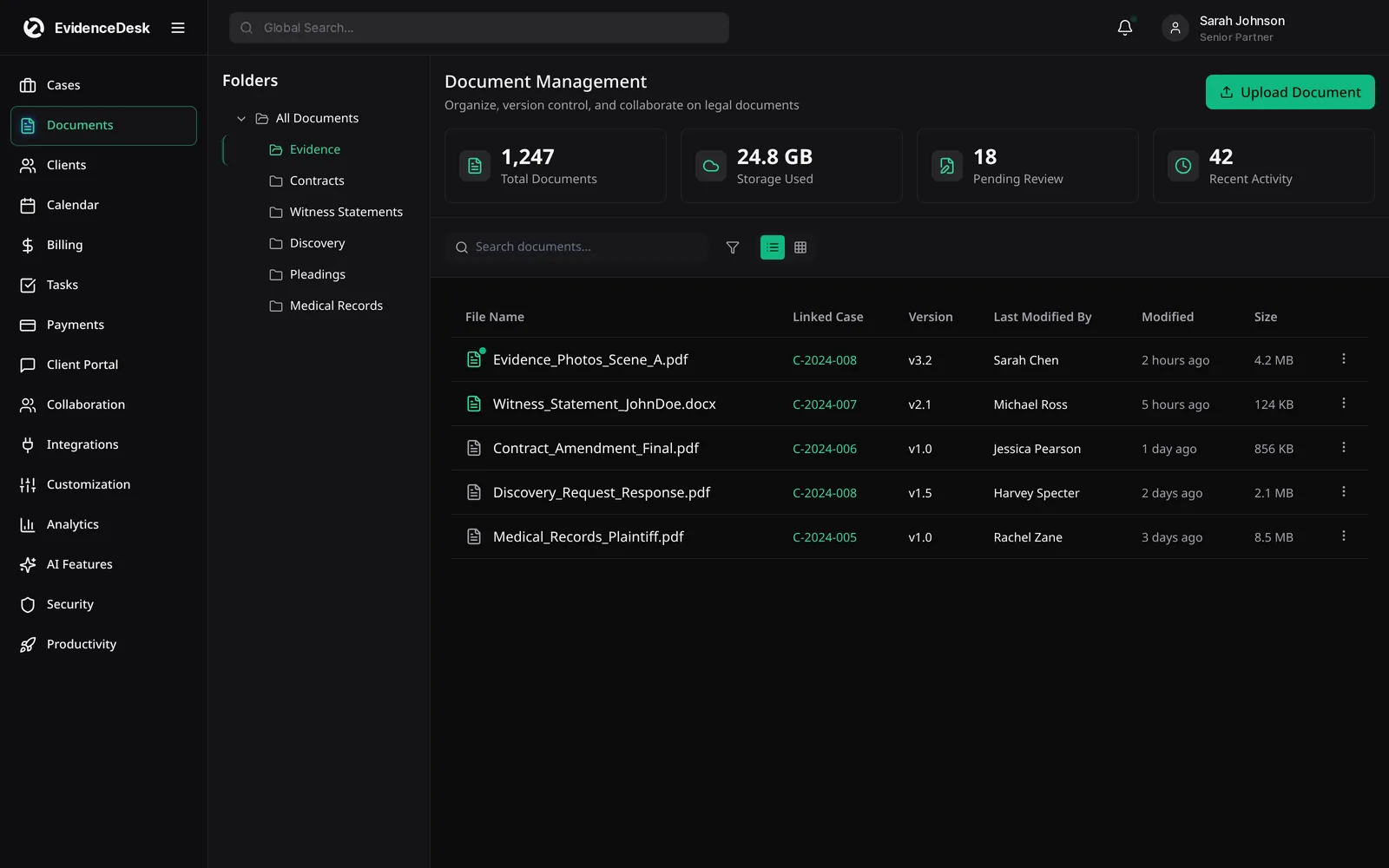
How the evidence vault works
Receive
Upload files directly to the matter or collect them from the client through the portal. The upload is recorded with date and user.
Label
Tag the file by type, issue or witness and assign an exhibit or Bates-style label when needed.
Review
Search by name, tag or content; open read-only previews; keep version history for drafts.
Share
Send selected files to clients or co-counsel through controlled sharing instead of email attachments.
Present
Pull every exhibit tagged for a hearing or trial into one list.
Document management systems for law firms: key requirements
Matter-centric organization
Rather than personal folders.
Version control
So the team knows which draft is current.
Search
Across file names, tags and text.
Access control and audit trail
To support confidentiality obligations.
Secure client sharing
To reduce sensitive email attachments.
Connection to case management and billing
So time spent on a document can be recorded where it happens.
Secure legal document storage
Storage alone is not document management. Secure legal document storage adds encryption, permissions by role and matter, and logging of views and changes. EvidenceDesk applies these controls to every file. The security page describes the approach in more detail.

Smart tagging, exhibit linking and case timelines
Smart tagging
Tag any document by issue, witness or evidence type so related files surface together.
Exhibit linking
Link exhibits directly to the legal arguments and facts they support.
Fact-to-exhibit mapping
A dual-pane view lists each fact beside its supporting exhibit, so gaps in the record are easy to spot.
Dynamic timeline
Pin evidence to specific dates and see the full case chronology in one view.
Some of these tools are being released in stages; ask for current availability when you book a demo.
Evidence features by plan
Solo includes basic evidence tagging and 50 GB of storage per firm. Firm and Litigation Pro add unlimited storage and full evidence management: exhibit numbering, chain of custody, full-text and OCR search and Bates stamping. Litigation Pro adds AI summaries and timelines for large records. See pricing for the full comparison.
Frequently asked questions
What is the best document management software for law firms?
The best option is one that organizes files by matter, supports search and version control, records an audit trail and connects with case management and billing. EvidenceDesk is designed around those requirements.
What is the best online storage for lawyers?
Lawyers should choose online storage that offers encryption, access controls, audit logs and matter-based organization rather than generic file folders. A legal document management system adds these on top of storage.
How does EvidenceDesk help with evidence management?
Each exhibit gets a record with its source, date received, tags and a log of every view or change, so the firm can show how evidence was handled.
What is a legal document management system?
A legal document management system stores, organizes, versions and secures a law firm's files by client and matter, with search, access controls and an audit trail.
What is chain of custody for digital evidence?
Chain of custody is the documented history of who collected, handled, accessed or changed a piece of evidence and when. Software can record this automatically for each file.
Explore related pages
Case Management
EvidenceDesk is legal case management software that keeps matters, tasks, deadlines, notes and team collaboration in one secure, cloud-based workspace.
Read moreSecurity
How EvidenceDesk approaches law firm data security: role and matter permissions, encryption, audit trails and secure client sharing.
Read moreBest Legal Document Management Software
A checklist for choosing document management software for law firms: matter-based organization, security, search, versioning and retention.
Read moreCriminal Defense
Criminal defense law software to manage discovery, evidence and chain of custody, hearing dates, client communication and flat-fee billing in one secure system.
Read moreLitigation Management
A litigation management system for law firms: track cases, pleadings, discovery, exhibits, depositions and court deadlines in one secure, cloud-based workspace.
Read moreFilevine Alternative
Comparing Filevine? See how EvidenceDesk compares as a Filevine alternative for case management, evidence, litigation and personal injury workflows.
Read moreSee how EvidenceDesk brings cases, evidence, billing, clients and calendar together. Your Evidence. Organized. Airtight.
Cloud-based · Works in any browser · Plans from $39/user/mo