Litigation management software that keeps every case trial-ready
EvidenceDesk is a litigation management system that brings pleadings, discovery, evidence, witnesses, depositions and court deadlines for each case into one matter workspace, so litigation teams can prepare and present their case from a single source of truth.

- Litigation management
- Litigation management is the coordination of everything involved in a lawsuit, from pleadings and discovery to depositions, motions, deadlines, evidence and trial preparation, often across several attorneys, staff and outside parties.
What a litigation management system needs to do
Litigation produces more moving parts than most legal work: parties and counsel, pleadings, discovery requests and responses, productions, privilege review, depositions, experts, motions, hearings and trial. A litigation management system has to keep all of these organized per case and visible to the whole team, while protecting confidential material.
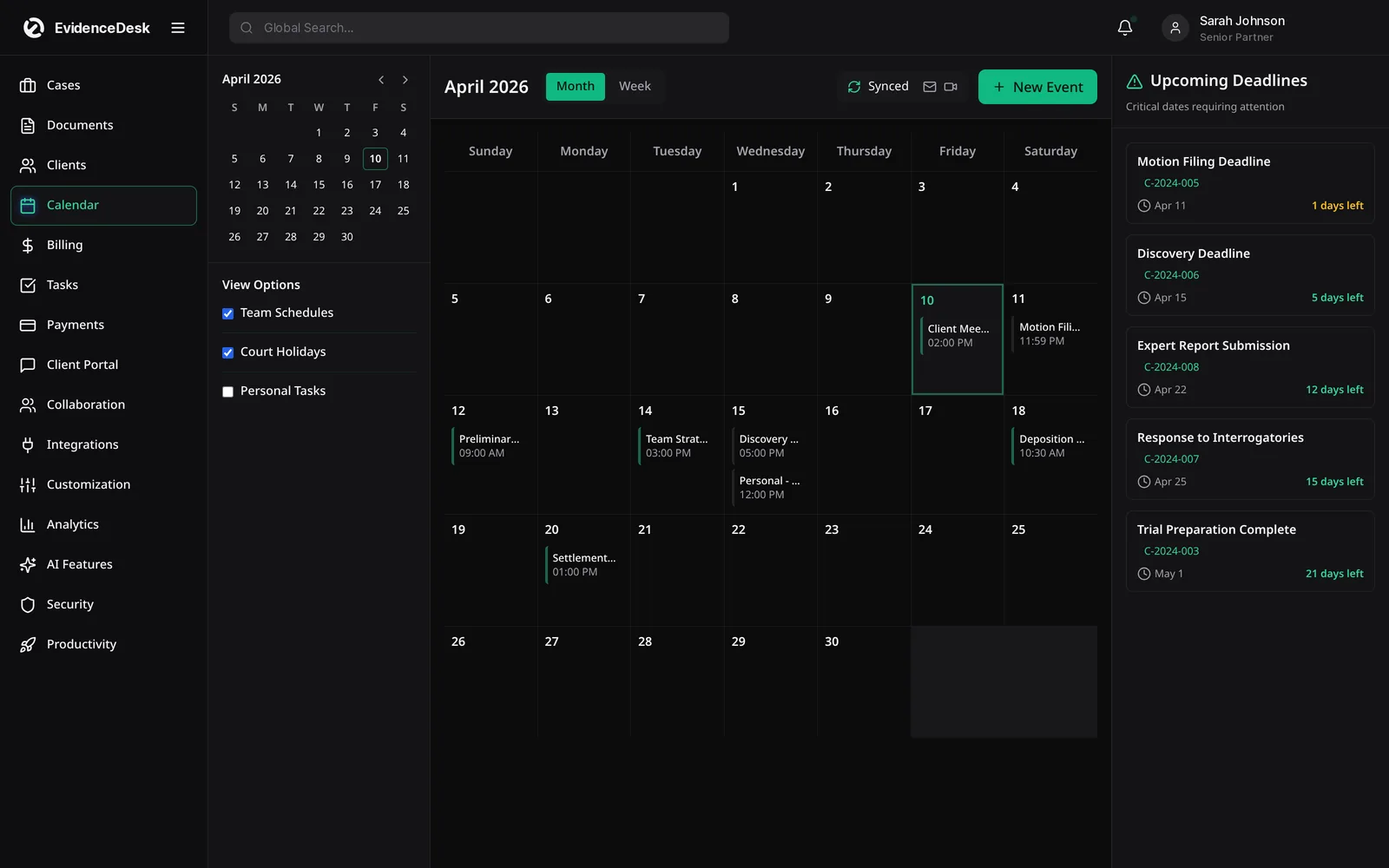
Litigation management software features in EvidenceDesk
Case workspace
Parties, counsel, court, judge, case number and stage on one record.
Pleadings and filings
Organize filed documents and drafts with version history.
Discovery tracking
Log requests, responses and productions with due dates.
Evidence and exhibits
Tag exhibits by issue and witness, with access history for each file. See evidence management.
Witnesses and depositions
Keep witness details, outlines and transcripts with the case.
Court deadlines
Calendar hearings and response dates with reminders. Try the court deadline calculator for date arithmetic.
Time and billing
Record time on each litigation task and invoice from the same record.
From complaint to trial: a litigation workflow
Open the case
With parties and conflict check.
Calendar the schedule
Including response deadlines and the court's scheduling order.
Manage discovery
Recording each request, response and production.
Build the evidence record
Tagging exhibits and recording their source.
Prepare depositions and motions
With related documents attached.
Prepare for trial
By pulling exhibit lists and witness materials from the case.
Litigation support software vs. litigation management
Litigation support software usually refers to specialized tools for tasks like e-discovery review or trial presentation. Litigation management covers the whole case lifecycle. EvidenceDesk focuses on case lifecycle management and evidence organization, and firms can continue to use specialized review tools where they need them.
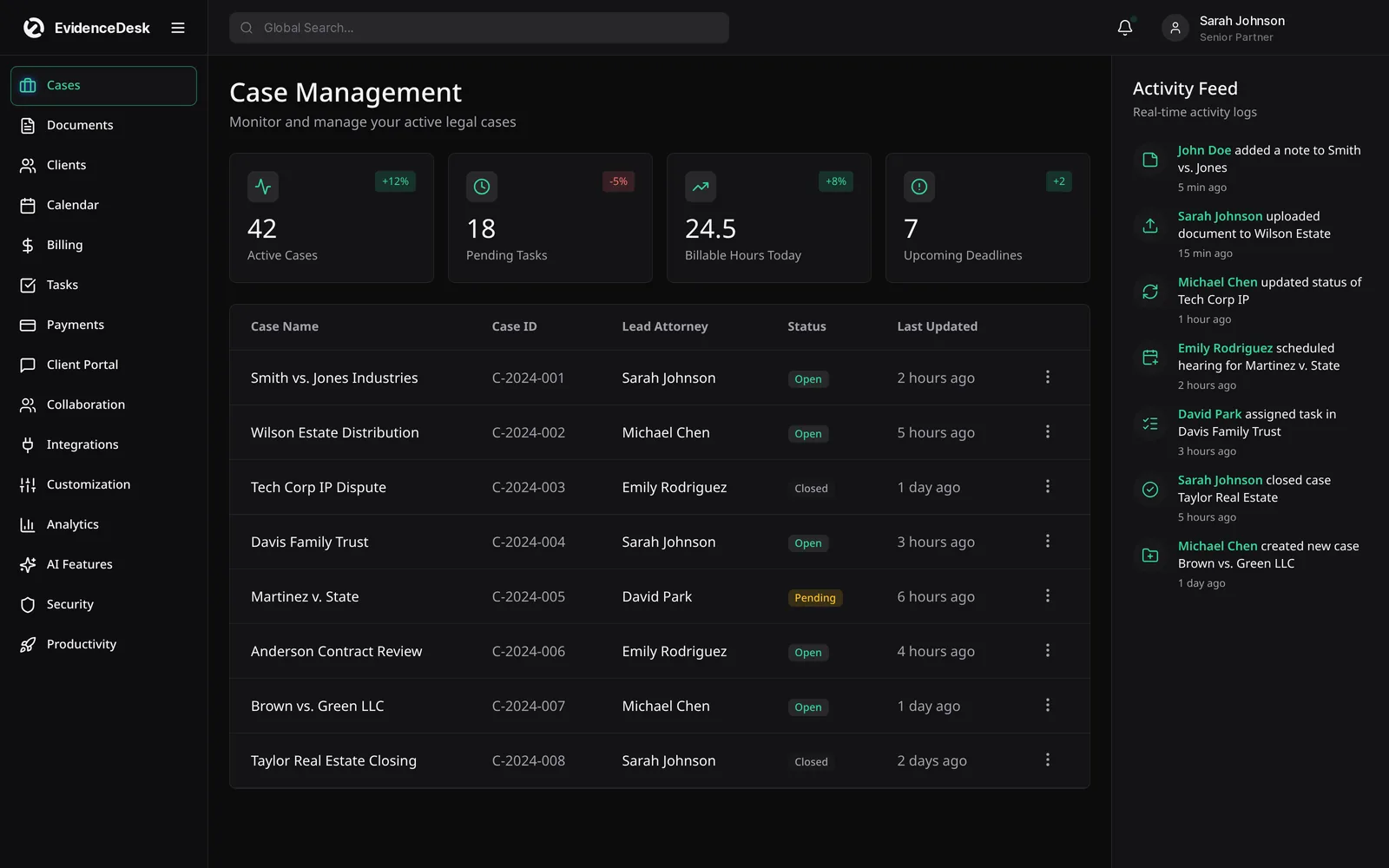
Choosing the best litigation management software
Compare how each option connects case data, documents, calendar and billing; how it controls access to sensitive material; how easily the team can find an exhibit; and how data can be exported. See our comparisons for an overview of established platforms.
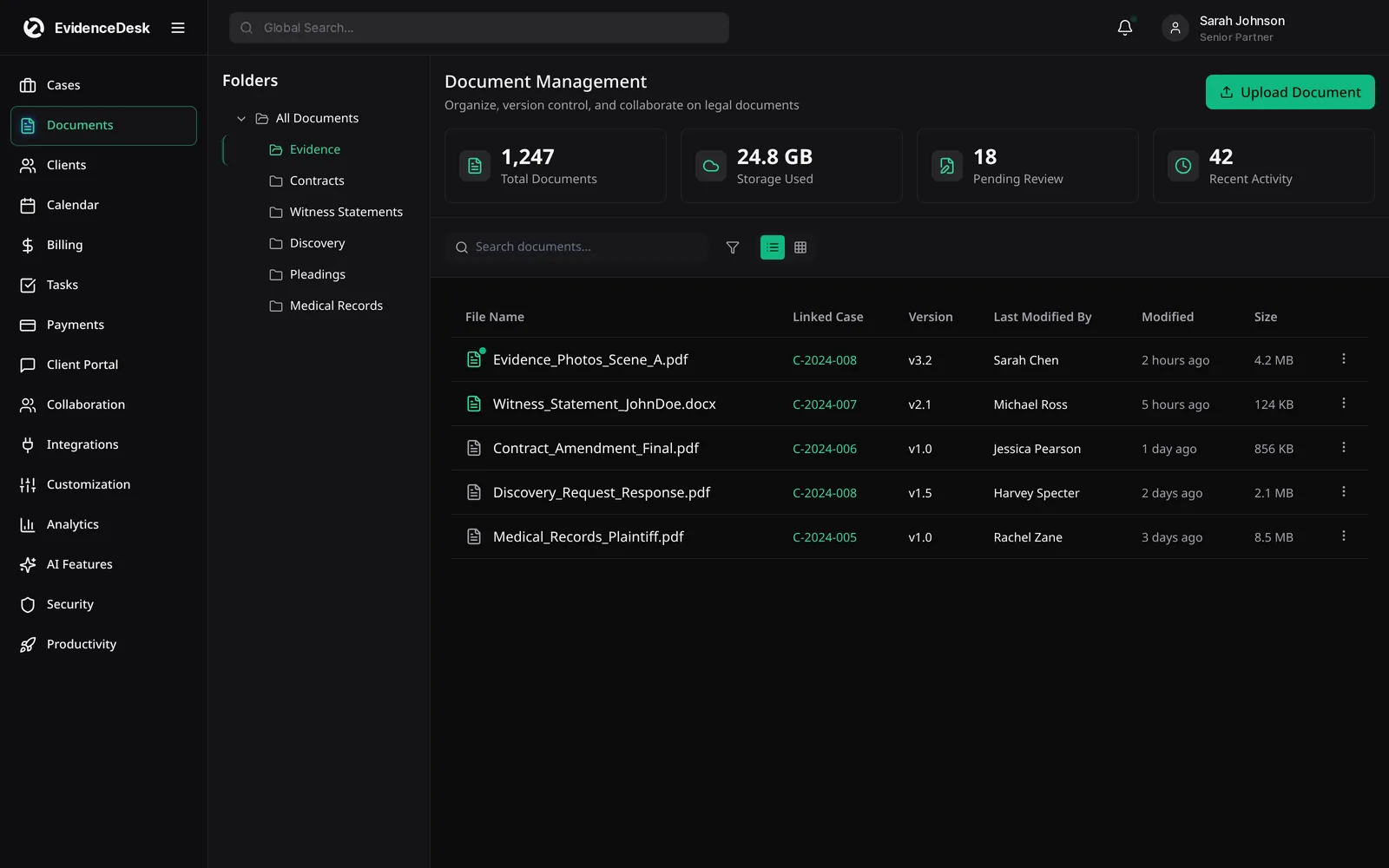
Running a matter from filing to trial
Litigation moves in phases, and each phase has its own documents, people and dates. In the pleadings phase the focus is on complaints, answers and early motions. Discovery brings requests, productions, depositions and the largest volume of evidence. Pretrial adds expert disclosures, motions in limine and exhibit lists, and trial brings witness schedules and the final exhibit set. EvidenceDesk keeps each phase on the same matter record, so the team never has to rebuild the case file when the matter moves forward.
For each phase, a matter template on the Firm and Litigation Pro plans can create the standard tasks automatically, and the legal calendar holds the dates. Evidence is numbered as exhibits with a chain of custody, and Bates stamping prepares productions. On Litigation Pro, court-rules deadlines calculate dependent dates and AI summaries help the team work through large records quickly.
Working with co-counsel, experts and clients
Litigation involves many outside participants. Keep client communication in the client portal, keep internal strategy in matter notes, and use permissions and ethical walls to control who sees what. A single record of every exchange makes it easier to prepare witnesses, respond to the court and close the file cleanly at the end.
Frequently asked questions
What is a litigation management system?
A litigation management system is software that organizes all work on lawsuits, including pleadings, discovery, evidence, depositions, deadlines and billing, in one place per case.
What is litigation software used for?
Litigation software is used to track case deadlines, manage discovery and documents, organize exhibits and witnesses, coordinate the litigation team and prepare for hearings and trial.
Is EvidenceDesk a litigation support tool?
EvidenceDesk is a case and litigation management platform with built-in evidence management. It does not replace specialized e-discovery review platforms, but organizes the case around them.
Can EvidenceDesk track court deadlines?
Yes. Hearings, filing dates and other deadlines are calendared on the matter with reminders, and Litigation Pro adds court-rules deadline help.
Which plan is best for litigation teams?
Litigation Pro, at $99 per user per month billed annually ($119 monthly), adds the deeper litigation features on top of everything in Firm.
Explore related pages
Evidence & Document Management
Secure legal document management software for law firms. Organize evidence and exhibits by matter, tag and search files, track versions and keep an audit trail.
Read moreCase Management
EvidenceDesk is legal case management software that keeps matters, tasks, deadlines, notes and team collaboration in one secure, cloud-based workspace.
Read moreCourt Deadline Calculator
Free legal date calculator: count calendar or business days from a trigger date to estimate a court deadline, with weekend roll. Not legal advice.
Read moreCriminal Defense
Criminal defense law software to manage discovery, evidence and chain of custody, hearing dates, client communication and flat-fee billing in one secure system.
Read moreFilevine Alternative
Comparing Filevine? See how EvidenceDesk compares as a Filevine alternative for case management, evidence, litigation and personal injury workflows.
Read moreSmokeball Alternative
Considering a Smokeball alternative? Compare EvidenceDesk with Smokeball on case management, documents, time tracking, billing and evidence handling.
Read moreSee how EvidenceDesk brings cases, evidence, billing, clients and calendar together. Your Evidence. Organized. Airtight.
Cloud-based · Works in any browser · Plans from $39/user/mo