Solo law firm software for solo practitioners
EvidenceDesk gives solo practitioners one simple system for matters, documents, time tracking, invoicing, trust accounting and deadlines, so a solo attorney can run the whole practice without stitching together several tools.

What a solo practitioner needs from software
A solo practitioner is the lawyer, the manager and often the bookkeeper. Software has to save time rather than demand it. The essentials are a clear list of matters and deadlines, a fast way to record time, invoices that are easy to send, correct trust records and a calendar that warns you before anything is due.
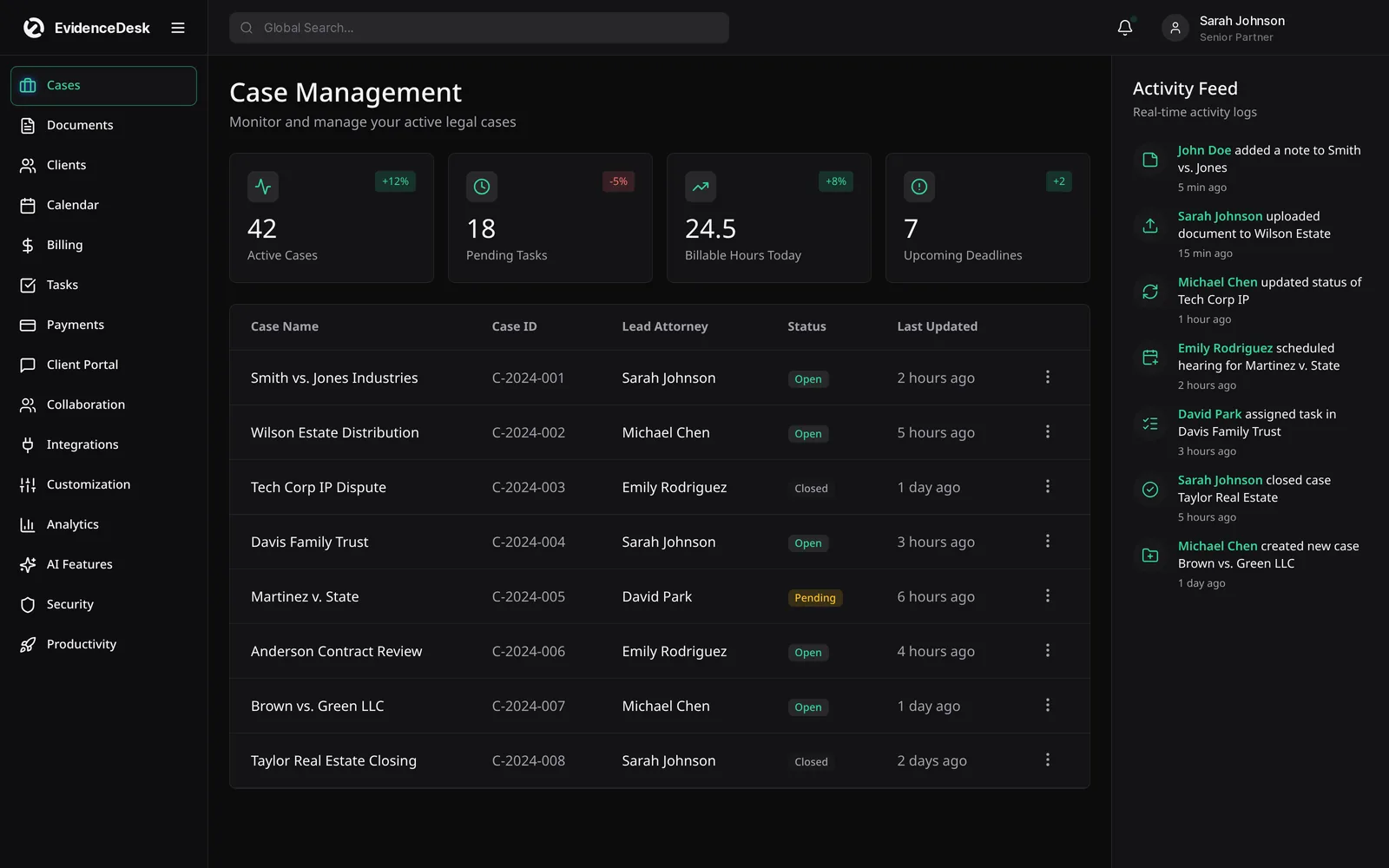
How EvidenceDesk works for solo attorneys
Simple case management
See every open matter, its next deadline and open tasks on one screen.
One-click time tracking
Start a timer from a matter or add entries in tenths of an hour.
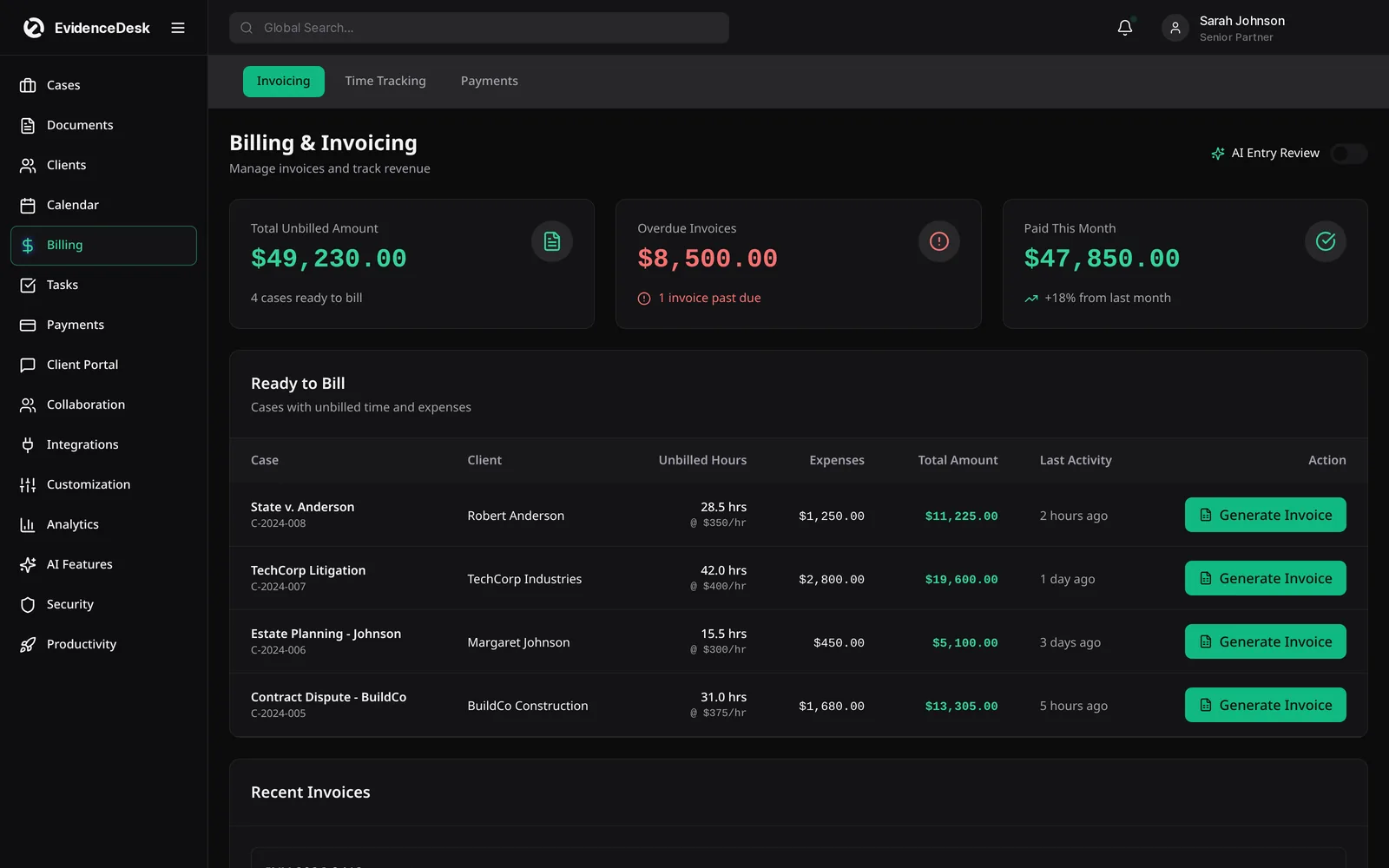
Fast invoicing
Generate invoices from unbilled time and expenses.
Trust accounting
Keep retainers separate and apply them to earned fees with a ledger record.
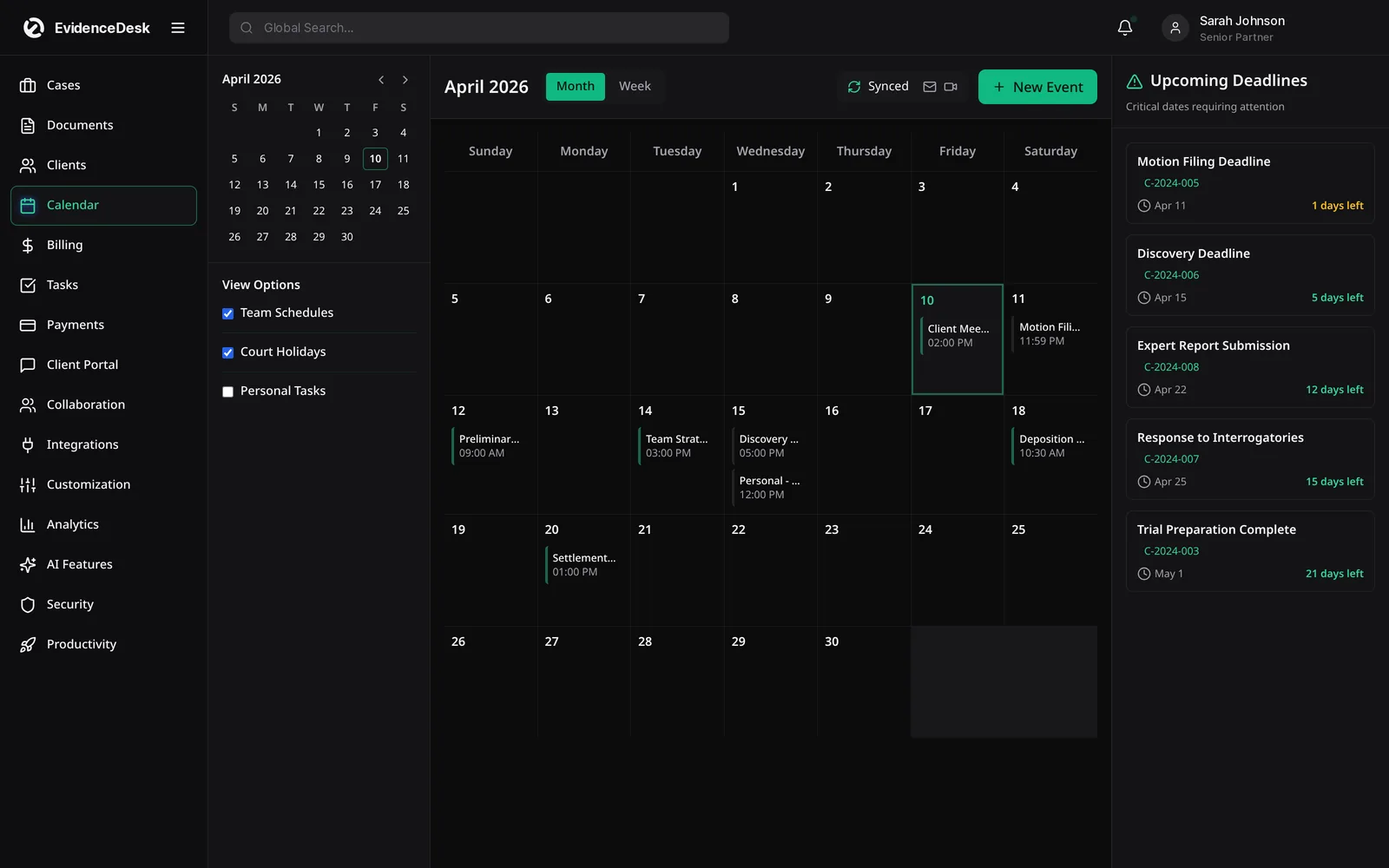
Calendar and reminders
Court dates and deadlines tied to matters.
Client portal
Share documents and invoices securely.
Browser-based
Work from the office, court or home with no server.
Legal billing software for solo practitioners
Billing is where many solos lose time and revenue. Recording time as you work, rather than reconstructing it at month end, improves accuracy. Use the free billable hours chart to see how minutes convert to billable increments, and read how to track billable hours.
Growing beyond solo
When you add an associate or paralegal, EvidenceDesk roles and matter permissions let you share work without sharing everything. See small law firm software.
Getting started
Add your billing rate and trust account.
Import contacts and open matters.
Calendar upcoming deadlines.
Start recording time on today's work.
Key capabilities for solo practitioners
One login for everything
Matters, documents, calendar, time, billing and trust in a single workspace.
Quick time capture
Start a timer from any matter or add a manual entry in seconds.
Online intake
Let prospective clients fill in an intake form before the consultation.
Simple invoicing
Turn unbilled time into an invoice and apply trust funds with a recorded transfer.
Reminders
Never rely on memory for a filing or hearing date.
Protecting your time as a solo
When you are the lawyer, the bookkeeper and the receptionist, every manual step costs billable time. Online intake forms, automatic deadline reminders and one-click invoices from tracked time remove much of that admin. A client portal answers routine questions about documents and invoices, so fewer calls interrupt focused work.
Because everything lives in one cloud system, you can work from court, home or a client's office without carrying paper files, and a colleague who covers for you can find what they need.
Start small: turn on time tracking and invoicing first, then add intake forms and the portal once the basics feel routine.
Frequently asked questions
What is the best law practice management software for solo attorneys?
The best option for a solo attorney is simple to learn and combines case management, time tracking, invoicing, trust accounting and calendar in one tool so nothing is entered twice. EvidenceDesk is designed for that.
Do solo attorneys need trust accounting software?
Solo attorneys who hold client funds must keep accurate trust records. Software with per-client ledgers makes this easier and supports reconciliation.
Is there a plan for solo practitioners?
Yes. The Solo plan is designed for independent attorneys. See pricing.
Can a solo attorney upgrade later?
Yes. You can move from Solo to Firm or Litigation Pro as the practice grows, keeping the same matters and data.
Does EvidenceDesk work on any computer?
Yes. EvidenceDesk runs in the browser, so there is no server or desktop software to install.
Explore related pages
Billing & Time Tracking
Legal billing software with built-in attorney time tracking, invoicing, expenses and trust (IOLTA) accounting support, connected directly to each matter.
Read moreTrust Accounting
Legal trust accounting software that keeps client trust and IOLTA funds separate, maintains per-client ledgers and supports three-way reconciliation.
Read moreBillable Hours Chart
Free billable hours chart and calculator for attorneys. Convert minutes to tenths or quarter hours and calculate the amount at your rate.
Read moreHow to Start a Law Firm
How to start a law firm: business plan, entity, bar requirements, trust account, insurance, technology, pricing and marketing, step by step.
Read moreSmall Law Firms
Case management and billing software for small law firms: shared matters and calendar, permissions, time tracking and trust accounting.
Read morePricing
EvidenceDesk pricing: Solo $39, Firm $69 and Litigation Pro $99 per user/month billed annually. Volume pricing for firms with 5+ users.
Read moreIntegrations
EvidenceDesk integrations: QuickBooks and Xero sync, Google and Outlook calendar sync, e-signature, online payments and an API on Litigation Pro.
Read moreSee how EvidenceDesk brings cases, evidence, billing, clients and calendar together. Your Evidence. Organized. Airtight.
Cloud-based · Works in any browser · Plans from $39/user/mo