Legal billing software and time tracking that connect to every matter
EvidenceDesk combines attorney time tracking, expenses, invoicing and trust accounting in one place, so time recorded on a matter flows straight into a client-ready invoice without re-entry.

- Legal billing software
- Legal billing software helps law firms record billable time and expenses, apply rates, generate invoices, accept payments and keep client trust funds accounted for separately from operating funds.
What you can do with EvidenceDesk billing & time tracking
One-click timers
Start a timer from any matter, task or document and log time in billing increments.
Flexible fee types
Support hourly, flat-fee, contingency and split billing arrangements.
Invoices
Generate branded invoices from unbilled time and expenses in a few clicks.
Trust accounting
Track client trust (IOLTA) balances separately and apply funds to invoices with a ledger.
Expenses
Record costs and disbursements against the matter they belong to.
Reports
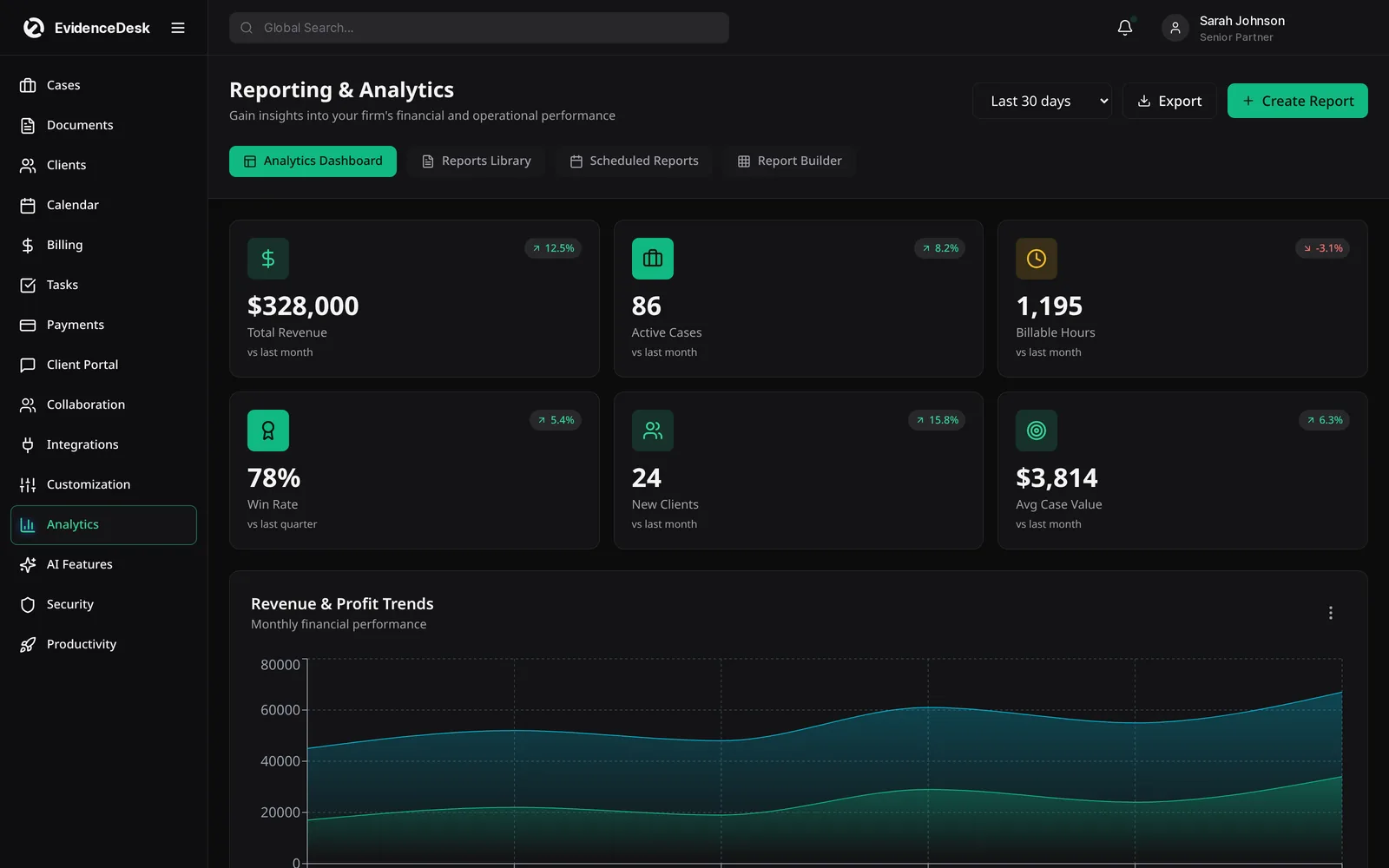
See billed, unbilled and outstanding amounts by attorney, client or matter.
Why time tracking and billing should live in the same system
Time that is not recorded cannot be billed. When attorneys reconstruct their day from memory or copy entries from a separate timer into a billing tool, entries are missed and descriptions become vague. Legal billing software with built-in attorney time tracking reduces that gap: time is captured on the matter where the work happens and is ready to invoice.
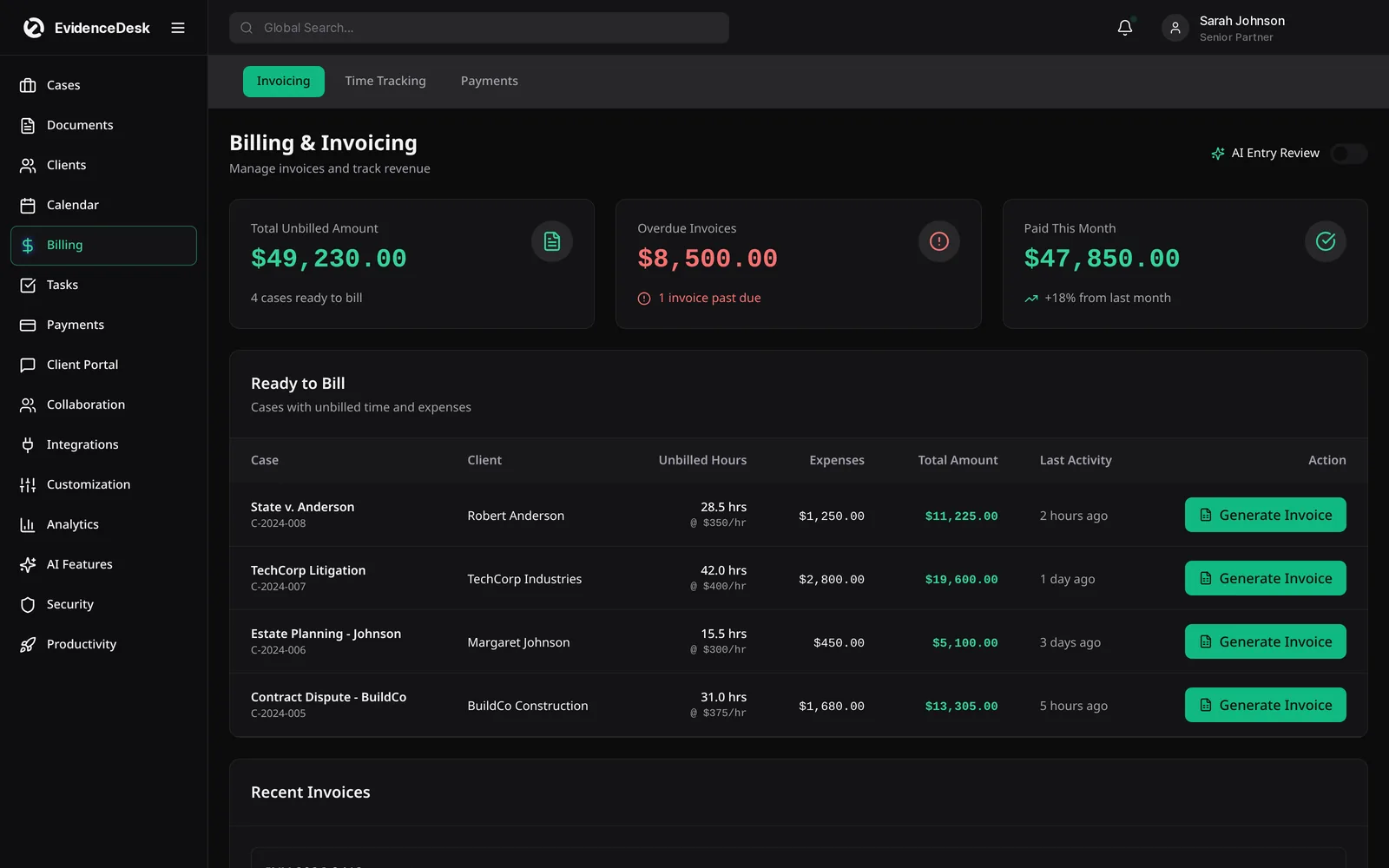
How attorney time tracking works in EvidenceDesk
Start a timer
From a matter, task, document or calendar event, or add a manual entry.
Record in billing increments
Such as tenths of an hour, with a clear narrative description.
Review unbilled time
By matter or attorney before invoicing.
Generate the invoice
With fees, expenses and any trust funds applied.
Track payment
And outstanding balances in billing reports.
Fee arrangements law firm billing software should support
Hourly billing
With rates by attorney, client or matter.
Flat fees
For defined services such as wills or uncontested filings.
Contingency fees
Common in personal injury, where expenses still need tracking.
Retainers and trust funds
Applied to invoices with a ledger record.
Split billing
When more than one party pays a matter.
Billing software for lawyers and trust accounting
Client money held in trust must be accounted for separately from firm money. EvidenceDesk links trust balances to each matter so an attorney can see available funds before applying them to an invoice, and each transfer is recorded. Learn more about trust accounting and IOLTA accounts.
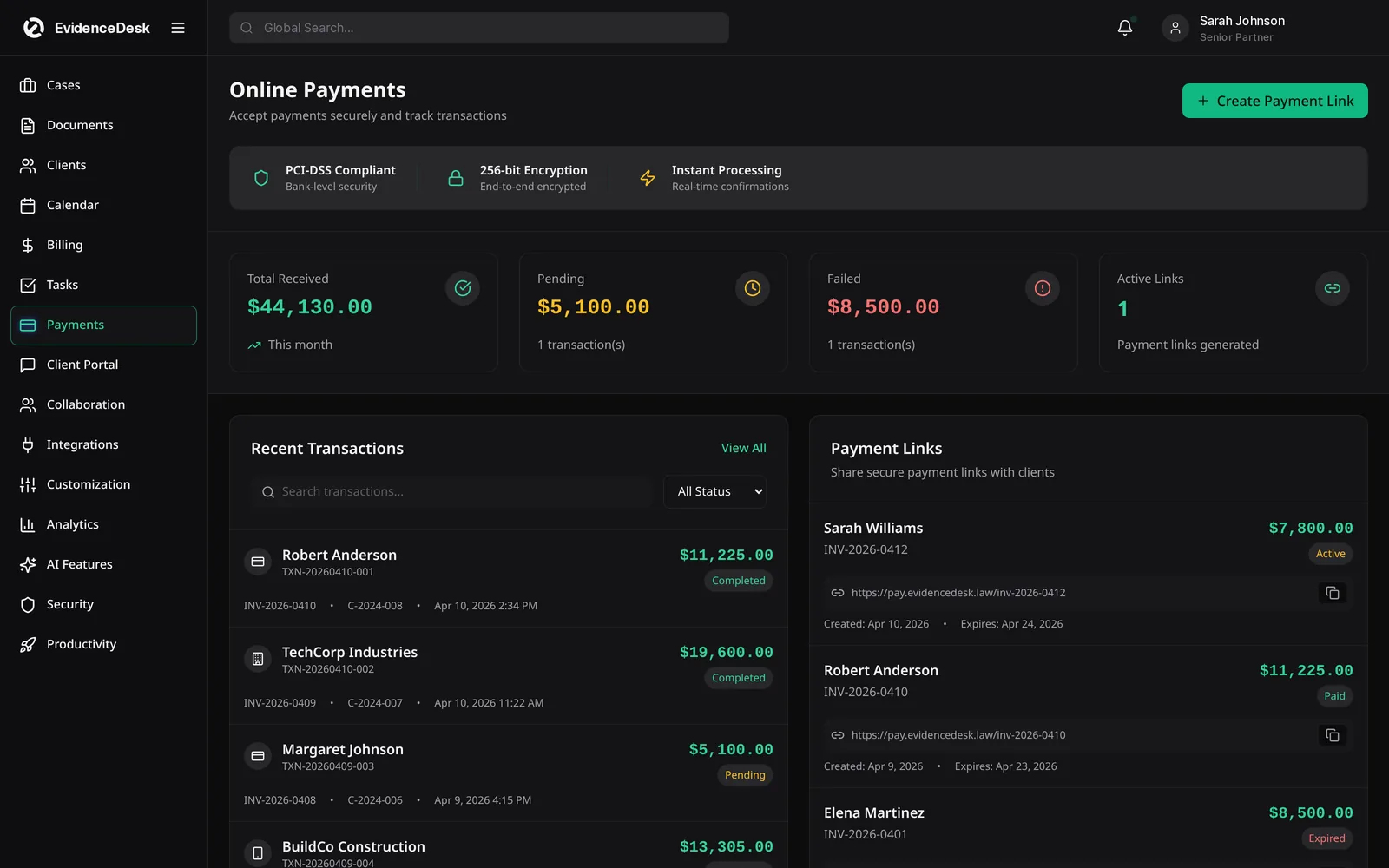
Free billing tools
Try the billable hours chart and calculator to convert minutes into billable increments, or the legal invoice template generator to create a printable invoice.
Choosing the right fee arrangement
Hourly billing is still common, but many firms also use flat fees, contingency fees or a mix. Flat fees suit predictable work such as estate plans or uncontested matters. Contingency fees are standard in personal injury. Split billing divides an invoice between payers, such as an insurer and a client. EvidenceDesk supports hourly invoicing on every plan, and split, flat-fee and contingency billing, LEDES billing and payment plans on Firm and Litigation Pro.
Whatever the arrangement, record time anyway. Time records show how much effort each matter really took, which tells you whether your flat fees are priced correctly and which matters are most profitable.
Frequently asked questions
How do lawyers get paid?
Lawyers are typically paid by hourly billing, flat fees, contingency fees or retainers held in trust. Legal billing software records the work and produces invoices for each arrangement.
What is an IOLTA account?
An IOLTA (Interest on Lawyers’ Trust Accounts) account is a pooled trust account where lawyers hold client funds that are small or short-term; the interest typically funds legal aid programs.
Does EvidenceDesk include attorney time tracking?
Yes. Timers and manual entries are built in and linked to matters, so tracked time is ready to invoice.
What is the best time tracking software for lawyers?
Look for timers that attach to matters, support billing increments, allow narrative descriptions and feed directly into invoices and trust accounting. EvidenceDesk is built around that workflow.
How do lawyers track billable hours?
Most lawyers use a timer or contemporaneous manual entries recorded in tenths of an hour, linked to the client matter, then review entries before invoicing. See our guide on how to track billable hours.
Explore related pages
Trust Accounting
Legal trust accounting software that keeps client trust and IOLTA funds separate, maintains per-client ledgers and supports three-way reconciliation.
Read moreBillable Hours Chart
Free billable hours chart and calculator for attorneys. Convert minutes to tenths or quarter hours and calculate the amount at your rate.
Read moreLegal Invoice Template
Free legal invoice template generator for attorneys. Add time entries and rates, apply trust funds and print or save a law firm invoice as PDF in your browser.
Read moreHow Lawyers Track Billable Hours
How do lawyers track billable hours? Methods, billing increments, time entry descriptions, common mistakes and how software captures more time.
Read moreHow Do Lawyers Get Paid?
How do lawyers get paid? A clear guide to hourly billing, flat fees, contingency fees, retainers and trust, and how law firms invoice and collect payments.
Read moreSolo Attorneys
Practice management and billing software for solo practitioners: simple case management, time tracking, invoicing, trust accounting and calendar.
Read moreReports & Analytics
Legal reporting software and law firm analytics for billable hours, collections, matters and profitability, with standard and advanced reports.
Read moreSmokeball Alternative
Considering a Smokeball alternative? Compare EvidenceDesk with Smokeball on case management, documents, time tracking, billing and evidence handling.
Read moreSee how EvidenceDesk brings cases, evidence, billing, clients and calendar together. Your Evidence. Organized. Airtight.
Cloud-based · Works in any browser · Plans from $39/user/mo